Thoughts on teaching, technology, learning and life in an era of change.

Archive for the ‘ Teaching ’ Category

Podcasting and vodcasting workshop at Hougang Primary School ~ Singapore
February 25th, 2008

This morning I awoke early, reworked a powerpoint for today’s presentation and went downstairs and grabbed a taxi to Hougang Primary School. Wai Tuck, my friend at the school had emailed some teaching programmes from the school and I generated some ideas for possible podcasting scenarios in preparation for today’s podcast workshop. I arrived at the school at 7:30AM and Wai Tuck graciously organised some breakfast for me. I had spaghetti with a spicy curry, plus some juice, fruit and coffee. Singaporean schools have excellent canteens with a large variety of freshly cooked hot food ~ Chinese, Malay, Indian and even Western food. I had a nice curry with rice, chicken and dried anchovies for lunch as well. Beautiful!
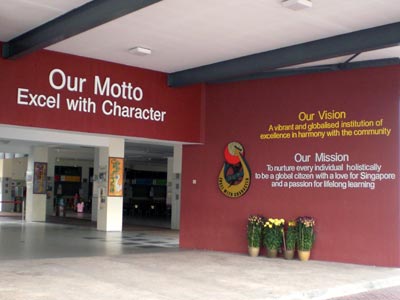
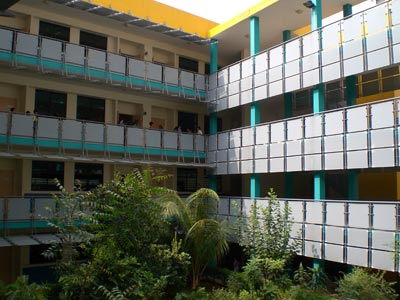
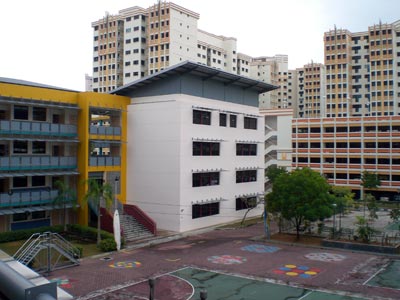
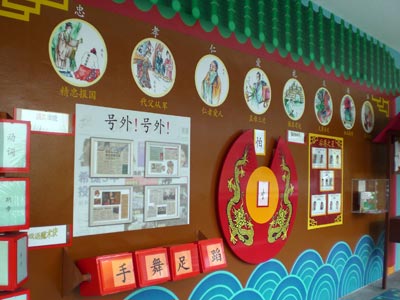
Hougang Primary School is a neighbourhood school. It is surrounded by Housing Development Board blocks and sits opposite Hougang Secondary School. It is an incredible primary school. It is four storeys high. It is colourfully decorated throughout. It is has incredible facilities and includes an agricultural plot, live animals and birds, a fernery, climbing walls and even a modern, well-equipped dental facility. The technology facilities are also incredible. The students were polite, graceful, greeted me as they passed and made one feel most welcome. That is one thing I miss a great deal when I am back in Australia. I shall post a gallery of photographs tonight if I have time.
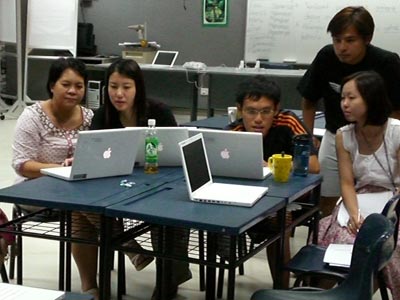
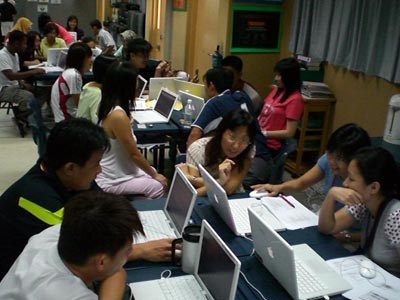
I conducted two podcast workshops today. One was held in the morning from 9:00AM to 12:30PM for those staff that taught during the afternoon shift at the school. Then I conducted a second workshop from 1:30PM till 4:30PM for those staff that taught in the morning. Singaporean teachers do work very hard. The school day starts with assembly at 7:30AM each day and completes at 6:00PM. There were about 90 participants in all. All of the participants were attending the workshop during their free time. The teachers often conduct and supervise extra curricular activities before or after teaching time and as a result the average teacher is spending approximately ten hours each day at school.
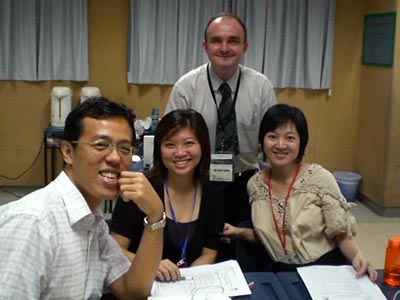
It was quite a task today. I covered GarageBand [pdf], Audacity [pdf], Quicktime [pdf], ProfCast [pdf] and Propaganda [pdf] during the course of the three hours. During the afternoon session I added Blogger and illustrated how easy it is easy to set up a vodcast using Blogger and a simple RSS feed subscription in iTunes. The upload did not go that smoothly however I think I managed to get the point across. I have added some photographs of the participants below. Resources utilised for the podcast workshop can be found at this dedicated page.
At the end of the day I went for a tour around the school and then took a number 235 bus to Hougang MRT and caught a train to Clarke Quay MRT. I walked up Eu Tong Sen Street to the Funan Centre, banked the cheque I received for today’s workshop and walked back to the hotel. Took a break, wrote this post and now I will grab a bite to eat. I am off to Nanyang Technological University in the morning to conduct a pre-conference workshop. Topics being covered tomorrow include WordPress [pdf], Swickis [pdf], del.icio.us bookmarks [pdf], Flickr [pdf], Twitter [pdf] and whatever takes the participants fancy in that wild and woolly world that is the read~write web.

Podcasting workshop at Hougang Primary School
February 21st, 2008

This Monday I have the good fortune to be conducting a podcasting workshop for staff at Hougang Primary School in Singapore. Thirty staff will be attending a morning session and fifty staff in the afternoon. It will be quite a day.

The teachers will be working with MacBooks and as a result I shall be sharing GarageBand (guide), ProfCast (guide) and Audacity (guide) with the teachers in addition to a variety of strategies and tactics. I will share some Windows based solutions (guide) as well.

Podcasting is an interesting beast. Students at our school have created podcasts, the first back in 2005. Where are they now? On a server, a back-up somewhere. This is often the way with projects, technology and otherwise.

Podcasting. Needs focus. Collaboration. Longevity. Podcasts can become lost, buried, discarded. Focus and direction can give podcasts life.

Years ago I had the chance to observe and work with a group of Year 6  students on a web publishing project. It was Woodlands Primary School. About 1999. Small groups within created a site dedicated to one aspect of a course that was to be examined at the end of the year. During the following year the next cohort further developed the web sites and added audio and visual components. The site evolved and was developed by successive students. It evolved a life of its own.

This is the type of approach I like to see with podcasting projects. Longevity. Students can be rostered to create a podcast on a specific topic scheduled for publication at a particular time of year that relates to the course structure.

I shall write more on this topic during the coming days. Resources for the podcasting workshop can be downloaded from this page.

Good To Great Seminar ~ Singapore 2008
February 19th, 2008

This Sunday I am off to Singapore to participate in the Good To Great Teaching and Learning Seminar at Nanyang Technological University. The focus will be technology and how it can harness linkages between students, teachers and learning.

I have had the good fortune to attend the seminar in  2005, 2006 and 2007. In addition to the presentations there is a sequence of concurrent sessions and full day workshops for the participants.

This year I will be conducting workshops on blogging, mashups and new tools such as WebNode. Some of the workshop materials are available here. I am still mulling over the content for the presentation yet the focus that seems to be drawing me in is the world of core tools like blogs and wikis and the role that orbiting worlds like Twitter play in forging connections. Tied in to all of this is the possibilities afforded by Yahoo Pipes for example. I shall endeavour to share, blog or twitter as often as possible during the four days.

Empathy in history
February 19th, 2008

One of the attitudinal skills that students need to pick up as part of the course in history is a knowledge and appreciation of empathy. A strategy that I have employed  is to exhibit some dramatic and iconic images from history including the Hindenburg tragedy, the 2004 Asian earthquake and tsunami, Australian Ash Wednesday bushfires and the 1986 Challenger disaster. Still images and video are shown to the students.

The students are asked to comment and ask questions about the events and words that came up in the discussion include sympathy, shock, sadness and surprise. The students realise that the images are history. The text book has a dry old paragraph about empathy. They appreciate that history is about people. The students seemingly gain a grasp that history is about people and that people in the past have feelings, views, opinions and emotions as we do today.

Watching the video downloaded from YouTube and the images gathered via Picture Australia and Google search provided the visual resources that I needed for the lesson. The Internet proved very resourceful indeed.

I used Tooble on the Mac to download the videos from YouTube. Following download the flv files were converted on the fly into mp4 files and exported to iTunes.

Can anyone recommend a similar application for downloading and converting YouTube style embedded video files on the Windows XP or Vista platform?

Quick slideshow on a Mac using Leopard OSX
February 9th, 2008

Some of you may have seen my guide for creating a quick slideshow on a Macintosh using a simple folder of images in OSX. If the Leopard OS is installed on your Macintosh you can quickly create an interactive slideshow using CoverFlow or QuickLook.

You begin by creating a folder and moving all of the desired images to that folder. Yesterday I downloaded a series of images from the State Records of NSW in preparation for a history lesson on the bubonic plague in Sydney. The lesson was for three separate Year Nine History classes with 30 students in each class. The folder of 20 images is illustrated below. The images are presented in List view.

Change the view from List to CoverFlow by either selecting CoverFlow from the View menu, clicking on the CoverFlow button at the top of the open window or by  typing Command-4. The CoverFlow window view is illustrated below.

If you resize and enlarge the window that is often sufficient for a projected slideshow. In addition, if you select all of the images and then select QuickLook from the File menu. This will set up a slideshow that you can resize to full screen.

You can also initiate QuickLook by clicking on the QuickLook button or by typing Command-Y. The controller allows you to progress backwards and forwards through the images. You can also set up a gallery view by clicking on the appropriate button.

The controller disappears from view when you move the cursor to a different part of the screen. The folder may not necessarily solely include images. Documents, movies and other file types can also be explored using QuickLook and CoverFlow.