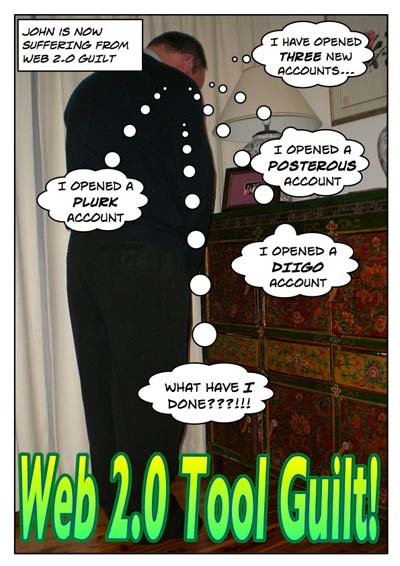
Well, in the last two days I have signed up to not one, not two but three new “Web 2.0 tools”. I was intrigued by Posterous and it’s incredible ease of use. One can perform many tasks simply via email ~ a tool that many are quite adept at using already. Why not use Posterous to set up a blog? I signed up. Three bloggers have highlighted Posterous during the last 24 hours, namely Larry Ferlazzo, Michelle Martin and Silvia Tolisano. It is certainly an interesting tool and I shall be sharing it with my colleagues this Thursday.

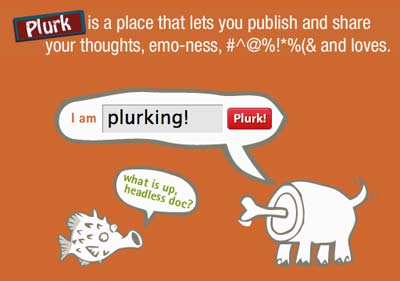
Earlier this evening I received an email invite from Clay Burell to join Plurk and I did. It looks neat. I will give it a go. I had read about it on Read~Write Web some time back and it has popped up in a few posts and tweets as a possible alternative to the long suffering Twitter.
Then, since I was seemingly in a drunken web 2.0 haze I signed up for Diigo despite my digs here, here and here (scroll down) I will have to thoroughly explore Diigo in order to derive the greatest benefit from this tool. Well, it has been 3 months since the big Diigo whirlwind of last March so I here I am all signed up and I even joined a few groups.

But, I signed up for Posterous within 24 hours of its discovery and for Plurk the second I read Clay’s invite. I did not allow time to frame my decision. I jumped straight in. Web 2.0 overdose. Bless me father for I have sinned.
How did I create this post? My wife took my photograph using a small Casio digital camera. I uploaded the image to my Mac using a USB 2.0 card reader. I imported the image into Comic Life and added the word balloons, etc. I exported the Comic as a jpeg image and then resized it in Adobe Photoshop Elements and exported it using the Save For Web option which allows you to fine tune file size and quality. I used CyberDuck to upload the image plus the various logos that I had screen captured via SharpShooter,

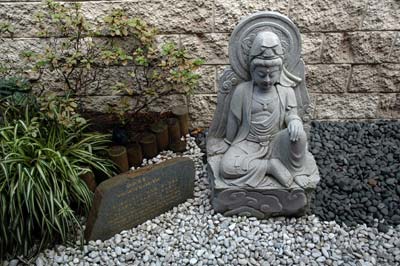
Shao Ping, Lucia and I drove across to the Nan Tien Temple this afternoon. Shao Ping will be conducting some Mandarin lessons at the temple commencing July. We checked out the projection facilities.
We then took Lucia for a tour around the temple. We have been there many times. It is the largest Buddhist temple in the southern hemisphere. I have photographed the temple before and the images are included in this gallery. The weather was brilliant today. Deep blue sky airbrushed with wondrous cirrus clouds.
How did I create this post? The photographs were taken with a Nikon D-70, uploaded to the MacBook with USB 2.0 card reader and processed with Adobe Photoshop Elements 3.0. I resized each image to a width of 400 pixels and a resolution of 72dpi. I adjusted the levels for some of the images to highlight the light and shade. Sometimes digital images seem a little ‘flat’ and playing with the levels can alleviate that lack of ‘depth’. These processes are debscribed in a guide, step by step. Available in word or pdf format. Download the images referred to in the guide from this page.
Watershed ~ a critical point that marks a division or a change of course; a turning point; a period of time that marks a turning point in a course of action.
Well, I think that we are in the midst of a turning point or a change of course in terms of education so I have decided to give my blog a new name ~ Watershed.
I have been pondering this name change for a while.
The term watershed has been a part of my vocabulary since I read The Sleepwalkers by Arthur Koestler about 30 years ago. In this seminal tome Koestler gives an account of mankind’s changing view of the universe and cosmology. He applied the term watershed to that period of the scientific revolution when Kepler and Galileo forever changed our view of the universe.
This is an aboriginal interpretation of Zorba The Greek. This performance always lifts my spirits. I am always happy to see anyone enjoying life and not taking themsleves too seriously. As the description on the YouTube page explains…
Frank Djirrimbilpilwuy from Milingimbi has been in the Indigenous Media Industry for many years and has been a long-standing member and supporter of the Top End Aboriginal Bush Broadcasting Association, TEABBA Radio. He has worked Independently in Music and Film for many years also.As the man behind the camera and release of the video, Frank is also representing the dance group who call themselves “The Chooky Dancers”.
Frank has said that he filmed the footage at this years Ramingining Festival on the 30th September 2007 and knew it would be “something special” as soon as he saw the boys rehearsing. “The crowd went wild as you can see in the video, and the classic song Zorba the Greek has now become a hit overnight in the communities and now it seems, everywhere else too.”
During the last few weeks a significant number of blog posts and ‘tweets’ on Twitter have been along these lines:
“Just a week to go before I am off to the NECC”
“Five days to go and I will be at the NECC”
“NECC next week!”
“NECC here I come!”
“Packing my bags for the NECC!”
“So excited about going to NECC!”
“At last, just about to hop on a plane for the NECC”
“Sitting in an airport lounge… NECC is my next stop”
The education networks are inundated with the term NECC (just like this blog post). Thinking about it, the fact that the term is prevalent in so many posts would make searching for relevant data regarding the NECC a little more challenging.
Something else crossed my mind as well. The NECC has been around for nearly thirty years now and I wonder if the demographics of the attendees has altered during the previous three decades. In particular, has the advent of the read~write web (aka Web 2.0) had an impact on the demographics at the conference?
Will there be hard core programming types mingling with newbie, web 2.0 entranced teachers? Will the educators that have their roots in command line interfaces cope with the Twitterers in their midst? What will the mix be I wonder?
This afternoon my colleague, Wayne, and I were chatting in the car on the way home. Wayne mentioned that he had read that if we look far enough into the universe we should eventually be able to see the back of our head as the universe folds back on itself, apparently. I mentioned I would like to be around if instantenous interstellar travel was ever invented. A few of the places I would like to visit are depicted below.
Of course, things would look a little different given that the light visible in these photographs may have taken hundreds or thousands of light years to reach Earth.
Thinking about the universe reminded me of the relative insignifcance of the planet Earth. Then the thought crossed my mind that its most civilised inhabitants are quite strange. The human race has missed the point. If we were truly an intelligent species would we be working five or more days a week for most of our lives? Would an intelligent species establish a society that is directly contributing to the demise of its planet via climate degradation? Would an intelligent species war with itself?
Then, thinking about global warming, mass extinctions of plant and animal species, peak oil, melting ice-caps and so on I wonder what will the current generation of students inherit after we shake off our mortal coils? Some of the more recent predictions regarding the health of this planet are rather dire. The planet is not in good shape.
How long will the human race be around for? Will we ever reach the stars? Will the human race see out the next 1000 years? The next 100 years?
Twelve or so years ago there were a few web sites that I liked to visit on a regular basis and share with other teachers when giving professional development regarding the Internet. Three sites in particular have reasonably stood the test of time… The Nine Planets, Volcano World and Astronomy Picture of the Day.
The Nine Planets is always a fascinating site to visit due to the quality of the photographs of the various bodies that inhabit our solar system. The site was established and is maintained by Bill Arnett. Bill included multimedia elements, such as audio and video, at an early stage of the site’s evolution. My favourite planets… Jupiter and Saturn. You can even find out about the Oort Cloud. Of course, the site’s banner testifies to Pluto’s recent exclusion as a planet. I feel that the original site, without adverts, looked better.
Volcano World stood out from the rest of the other sites evolving on the web back then due to the constantly updated content and quality of the materials. It was always supported with a rich set of external links. It utilised multimedia and excellent images. The site also has a blog.
Parts of the site have remained as is since the early days complete with horizontal bars and large navigational icons.
Finally, Astronomy Picture of the Day, was a site I visited as often as I could. The site is maintained by Robert J. Nemiroff and Jerry T. Bonnell. One thing that has always fascinated me about APOD is the fact that each daily entry is rich with a large number of links to supporting and related information. Robert and Jerry had fully utilised the power of hypertext links. Favourite images? Cat’s Eye Nebula, M17~stellar nursery, Saturn and Jupiter.
Westley Field, an old sparring partner of mind from that good old multimedia days at the University of Wollongong is always at me to be ‘online’ more often. That is, he often mentions that he cannot find me so to that end I have been leaving Skype and iChat online. Well, Westley and I have have had more chats of late and more collaborations have been generated as a result.
Well, last weekend I had a quick chat with Westley while he was in San Francisco and I knew he was heading over to Strawberry to take a canoe ride with Alan Levine. Well the iChat was fired up and we three managed to get in a quick conversation. It was good to actually speak with Alan (and Westley too!). All previous communications had been comment exchanges about recycling wood and interesting conference speakers.
Nothing serious. Quick chat about canoeing, looking for water, dogs, cats, absent principals, meeting my wife, NECC, July meetup, my next trip to Singapore, Skoolabarate Congress 2008 and the possibility of dragging Alan across to Singapore in February of next year for a conference. Laughed about collaborations, being high maintenance, and adventures abroad.
A nice moment all in all. Technology can be good. It’s wireless. Its now. Think about it. Half a world away from each other, sixteen hours apart, yet three blokes share a laugh, swap a few notes and cement those bonds.
Had a great lunch today as once again staff gathered together to share their tips and tools. It has been a fortnight since our first get together. Today a variety of tools were shared… from SnapNDrag to Time Machine. From GarageBand to Wikis. There was a nice roll up of staff keen to check out new ideas. There was Lynda, Louise, David, Marion, Michelle, Clare, Steve, Peter, Wayne, Frank, Maria, Judy, Wayne and myself.
Today we were joined by Maria, Clare and Frank
David showed how incredible GarageBand can be for creating music tracks. Imports, edits and quick mixes were ably demonstrated by David. This worksheet for creating podcasts in Garageband will provide some good ideas regarding use of the tool. David pointed out how useful GarageBand was in the teaching of music and languages for example. Frank also indicated the value of GarageBand for recording and editing speeches given by students.
GarageBand
David also took the opportunity to show a tool that teachers would find useful if they ever need to de-stress a little. Goodness knows teachers need to chill out from time to time. Anyway, the site is Brain Train. There are a variety of activities that can give your brain a bit of a workout and take your mind of matters for a moment. Yes!
Brain Train
Lynda shared two of the most interesting features of the Mac OSX Leopard operating system… Spaces and Time Machine.
Spaces allows you to run multiple desktops so that you can spread out your running applications, files and documents across several screens. It allows you to have an uncluttered desktop. A simple keyboard shortcut will take you from one screen to the next. You may have a browser running in one space, image processing apps in a second space, word documents in a third space and iTunes in a fourth space. There is a good demo of Spaces by David Sparks of MacSparky fame on YouTube. David has quite a few Mac “How To” videos on his macsparydotcom YouTube page.
Spaces
Time Machine is way overdue on the Mac. It is like Restore in the Windows environment. You can schedule backups of your data to an external hard drive. Time Machine has an excellent interface that allows you to track back in time to a particular back up date and restore your data as you wish.
Time Machine
Louise shared SnapNDrag with the group. This is an excellent screen capture tool for the Mac that allows you to programme your screen grabs. You can name the cpatures on the fly, alter the file type output and retreive captures made earlier. Very versatile.
SnapNDrag
Coincidentally, another collague, Kevin, shared a nifty little screen grab tool called SharpShooter that allows you to name your screen grabs on the fly. I like it! Louise also mentioned an excellent screen capture tool from the wonderful team that created Comic Life. It is called Skitch! Check it out
David raised a question about creating “How To” documents with labelled images that include arrows and the like. I mentioned how I like to use Comic Life to create How To documents like this one. Wayne added that he uses the clip art and symbols and in Microsoft office to create his documents. Lynda mentioned that she uses Keynote to create her how to documents. Interesting. That needs checking out.
Comic Life
I shared Wikispaces with the group and also shared some excellent wikis created by eduactors around the globe including:
There was one interesting observation… as we connected our Mac laptops to the projector VGA cable we utilsed at least three different dongles depending on the model Mac that we used. Apple, please get your act together and design a standard fitting.
Once again, a great lunch was had by all. Stay tuned for our next gathering or simply subscribe to this blog via email or through an RSS feed.
How did I create this blog post? This blog post was created using Wordpress. The web browser was Flock. The images were captured using SharpShooter and processed using Adobe Photoshop Elements. The images were uploaded to my web host, ICDSoft, using CyberDuck. The digital photographs were taken with a Casio EX-760 digital camera that resides in my pocket. The digital photographs were uploaded to my MacBook Pro using a MobileGear USB 2.0 card reader.
Recently a group of teachers at my school met together during lunch to exchange technology tips and tools. The meet-up had its genesis couple of weeks back with a thought that I felt it would be good to team up with like-minded and positive thinking individuals and share ideas.
To be honest I have not been firing on all six cylinders in a spiritual sense of late and I needed perking up so instead of sitting there in the mud I felt why not create an opportunity for a group of positive and forward thinking individuals to get together and share ideas. That is certainly the best cure for the blues I know. Surround oneself with happy people. Fair enough?
I mentioned this idea after school one day to our Learning Technology Coordinator, Lynda, and an email went out to the staff inviting interested parties to attend our first lunchtime meeting. It happened just over a week ago. I have been buried in marking since then and this is the first chance I have had to sit down and clearly document that first get together
We met in Room 27, a Macintosh Computer Lab that is affectionately known as the “Cage”. In addition to myself there were 11 other staff members present: Lynda, Louise, Peter, Judy, Marion, Melanie, Michelle, Chris, Sandra, David and Steve. Teachers, librarians, support staff and administrators.
It is an informal group and the idea is simply to demonstrate tips and tools and to exchange notes. The emphasis is on sharing. At our first meeting Lynda got the ball rolling by sharing Mindmeister with the group.
Lynda demonstrated how this online mind mapping tool could allow students and teachers to collaborate on mindmaps. As its own blurb points out, “users can create, manage and share mind maps online and access them anytime, from anywhere. In brainstorming mode, fellow MindMeisters from around the world (or just in different rooms) can simultaneously work on the same mind map - and see each other’s changes as they happen. Using integrated Skype calls, they can throw around new ideas and put them down on ‘paper’ at the same time.” It looks quite neat. Need to investigate that Skype interaction.
Lynda followed this with a quick demo of Vixy.net. This service allows you to download YouTube videos reasonably easily. As the home page states, “it converts FLV to MPEG4 faster and less lossy than a typical transcoder“. David asked a question about conversion formats and we shared ideas regarding mp4, move and other video formats.
I mentioned Tooble with the team as well. It is a neat client side software tool that allows you to search YouTube and perform multiple downloads of selected YouTube videos. Mac or Windows.
Following Lynda I gave a demo of CompFight, an unusually named online tool that allows you to search the Flickr image database rather easily.
I entered the terms Thera and archaeology into the search field and eighty nine excellent thumbnail images appeared. All were relevant to the current topic that I am teaching to Year Eleven Ancient History. The tool has a safe search mode.
After that I demonstrated Google Reader and indicated how it allows the web to come to me rather than I reaching out to the web for news, ideas and tools. I illustrated some of the advantages of subscribing to blogs, del.icio.us links, flickr feeds, news media feeds and other sources.
Then, Peter took the stage and gave an inspiring demonstration of the Photo Book feature within the Apple Mac app, iPhoto.
Peter has created some excellent ‘coffee table’ books illustrating the travels of his family and important events in the lives of his children. It is an excellent facility. Peter showed how one can employ the Autoflow setting to create the book, utilise templates and add text.
There was some spare time and I showed the group how I had set up a Mac 7.0.1 emulator on my MacBook Pro currently running Mac OS 10.5.2. Running the emulator is like stepping back in time 18 years. The software used is Mini vMac. It runs off a thumb drive.
We all enjoyed a nice meal of pizza, drinks and even a caramel mud cake. Lynda organised the food and drinks. Legendary Lynda! It was an excellent way to spend lunch. It may have been a cold and gloomy wintry day outside but within that room there was considerable collegial warmth and we all had a thoroughly good time. As I took a few photographs, with Peter’s help, I remarked on how excellent I felt the get together had been. We all had a great time.
Lynda wants to call us the Geek Group. I would like to call it, with a wry smile on my face, the Advanced Technology Group. Any suggestions?
Stay tuned for updates on following get-togethers.
How did I create this blog post? This blog post was created using Wordpress. The web browser was Flock. The images were processed using Adobe Photoshop Elements. The images were uploaded to my web host, ICDSoft, using CyberDuck. The digital photographs were taken with a Casio EX-760 digital camera that resides in my pocket. The digital images were uploaded to my MacBook Pro using a MobileGear USB 2.0 card reader.
I have a keen interest in converging teaching, learning and technology. I also provide
professional development for teachers and academics in the field of educational technology, particularly in Singapore.
Shao Ping is my wonderful wife and she likes to teach Mandarin and
blog as well. I listen to David Bowie and others, read some science fiction and laugh at comics such as B.C. and the Wizard of Id.
The following links will take you to a constantly updated set of resources and links that are focused upon implementing Web 2.0 and other technologies in the classroom.