|
|
|
Thoughts on teaching, technology, learning and life in an era of change. |
Archive for the ‘
Learning ’ Category
Comic Life ~ more than just comics
November 5th, 2009
Comic Life is and incredible piece of software.
Every now and then a software application crosses one’s path and it immediately grabs your attention. Back in 1992 I was introduced to HyperCard by Dr John Hedberg. That application changed my career and my life. Thanks John!
Several years back I was attending an Apple Technology Day for teachers and right at the end of the day we were given a quick look at Comic Life. I was immediately captivated.
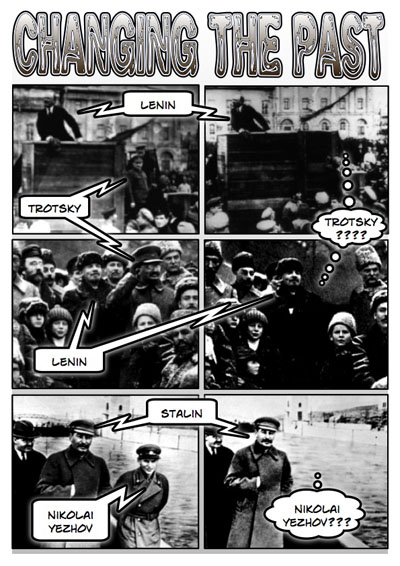
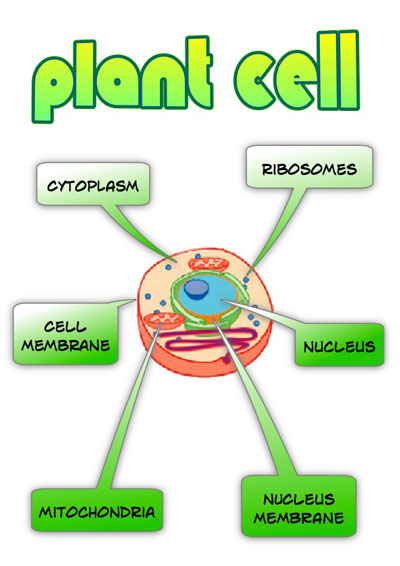
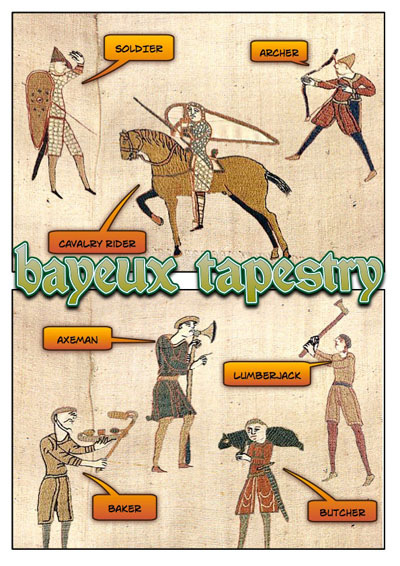
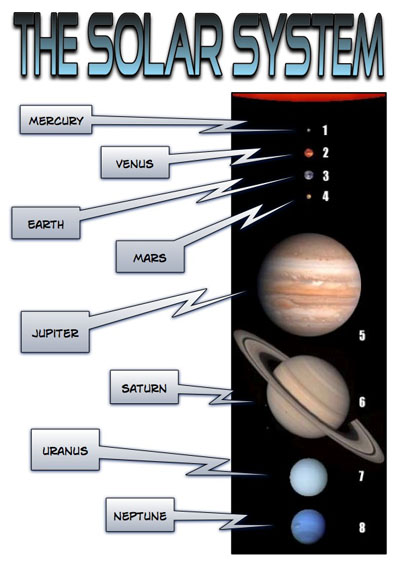
Naturally Comic Life allows you to create comics. All sorts of comics. Basic, 1940s, strips, manga and loads more. Yet, it is capable of much more than that. You can skip the templates and simply allow the creative thoughts to generate and drag the various elements such as panels, word balloons, images and titles wherever you wish. If you explore the details panel for each element you can modify the style of each element to your heart’s content.

Recently I conducted some workshops over 6 days for a number of teachers from a variety of schools devoted to children and young adults with special needs. Part of the programme incorporated a Comic Life workshop. They all loved it. We all had a ball. We also covered digital photography, connecting, web presence and other connected stuff. There were teachers from Pathlight, Metta and the Cannossian schools in Singapore. Teachers also travelled down from the Korean International School in Seoul to attend the workshops in Singapore. I shall post some images from the workshops and examples shortly. In the meantime you might like to check out this pdf. Some of my efforts are displayed in this post.
Tags: Comic, needs, special Posted in
Learning, Singapore, Teaching, Technology |
1 Comment »

Do you like telling stories?
October 13th, 2009
I like telling stories. What sort of stories do I like to tell? Stories about days at school, life in the ANZ Bank, stories my father told me, historic sagas and the like.
 My father and I
Where do stories come from? Have you ever wondered about that? Stories come from passion, imagination, experience, tragedy, success, life and death. Stories come from places you have been, places you want to be. Stories come from inside you. Stories come from people you want to be.
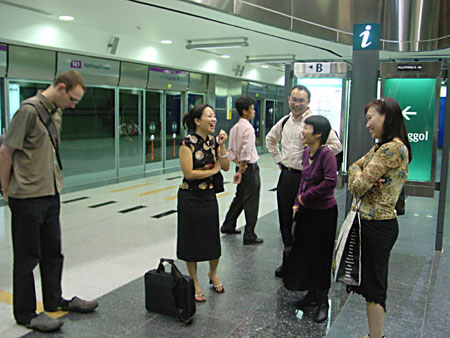
 Friends
Stories can be ignited… by loss, joy, grief, happiness, a turning point, a decision.
Where do stories go? They can travel back in time, leap forward to the future, go deep into your heart. Stories can take you to places that you know and places that you don’t. They can be a vehicle of juxtaposition and transposition as you venture into another dimension.
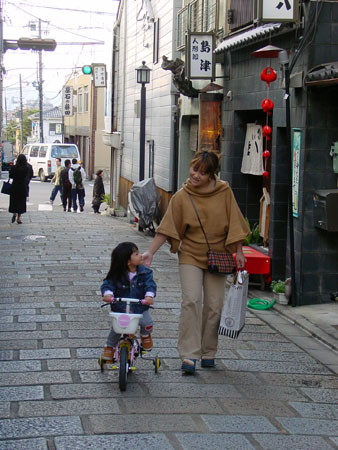
 Mother and daughter, Kyoto.
The sad thing is that some stories never survive. They are not written down. They are not recorded. They are not remembered. They are lost… forever.
Now is the time to record those stories. The ways and means are readily available. Write a blog, record your voice on the computer, make a podcast, make a video. Not next week or next year, but now if you can. Teach your students, teach your relatives, teach your friends, teach yourself.
Do you like telling stories?
Here are some links to get you started…
Alan Levine: Wiki ~ Follow the link to 50 ways to tell a story wiki
Alan Levine: Open Discussion on 50+ ways to tell a story
Alan Levine and Bryan Alexander: Educause article on 50+ ways to tell a story ~ PDF
Alan Levine: New Media Consortium Presentation: 50 Ways to Tell a Story
Miguel Guhlin: Digital storytelling workshop wiki
Miguel Guhlin: Place based storytelling
Miguel Guhlin: Digital storytelling with web based tools ~ Wiki
Miguel Guhlin: Voicethread Tutorial
Matthew Needleman: Digital Storytelling Blog Carnival #1 and #2
Educational Origami ~ Voicethread Tutorial
Web 2.0 Storytelling Wiki
Center for Digital Storytelling
Digital Storytelling Toolkit
Instructify: Digital Storytelling
Keeping the Mood Light: Digital Storytelling
Open Thinking: Center for Future Storytelling
The Art of Storytelling
International Day of Sharing Life Stories
Tags: digital, storytelling Posted in
Learning, Life, Teaching, Technology |
5 Comments »

Education and the social web ~ taking learning beyond the classroom
October 13th, 2009
Well, what is this all about, eh? This Wednesday Kevin Lim and I shall be giving a talk at Nanyang Technological University on Education and the social web ~ taking learning beyond the classroom. I am up here in Singapore, on a bit of a break, hanging out with friends and taking photographs, and the opportunity arose to give a talk and I thought why not invite Kevin to be part of the process. The talk is part of the edUtorium series at NTU.
I am a big fan of Kevin’s blog & also his Delicious feed so I thought it would be neat to allow Kevin to speak in Singapore during his current homecoming visit from the University of Buffalo where he has recently completed his PhD. Congratulations Kevin!
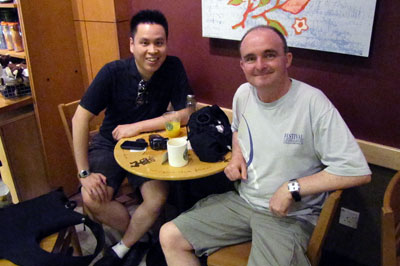
 Kevin and I at Starbucks, Holland Village, Singapore
Last Saturday morning Kevin and I met up for a drink at Starbucks in Holland Village and synthesized a number of ideas for our talk. Individually our ideas have been gestating for some years now and they have come together in a manner of speaking and this Wednesday I guess an offspring will be generated in the form of our talk. Please feel welcome to join the talk and if you can spread the word. Kevin has been doing a great job already!
What are the details? Taken from the Nanyang Technological University web site…
Date/Time
14 October 2009 (Wednesday) · 2.30 pm – 4.30 pm (2hrs)
Location
NTU Lecture Theatre 6, Level 2, Academic Complex North, Singapore (PDF map)
Overview
The democratic nature of the social web means that the ability to learn and produce meaningful work can now happen at any level – from the independent student, to the individual teacher, to the entire education institution. Now, more than ever, instructors are able to motivate active learning among students, by empowering them with relevant online tools that allow for more creative approaches to go beyond the traditional class-based education.
In this two hour session, learn how you can…
~ cultivate learning beyond the classroom
~ encourage participation in the class conversation
~ inspire student pride through greater sense of ownership of their work
~ include new literacies in research, organization, and synthesis of ideas
~ support multiple learning styles
~ create exemplars by raising the bar of student achievement
~ archive learning by creating a record for both you and the students
And much more…
In this international presentation brought to you by educators John Larkin (Australia) and Kevin Lim (United States), the first part of the session will provide a general state of education on the social web, while the second part will demonstrate tactical approaches to meeting your students’ learning objectives through the appropriate use of social web tools such as blogs, wikis, and social networks. The ultimate vision of this session would be to situate student learning in a more familiar and communal environment.
Speakers
Dr Kevin Lim studies and shares his interest in the wide-ranging cultural affordances of information communication technology, particularly on the self-organizing and pedagogical quality of the social web. With his academic background in communication, his research has ranged from Internet censorship and civil sovereignty in China, to social capital among online non-profit organizations. He also conducts social web-related workshops and produces instructional guides at the Teaching & Learning Center, located in the University at Buffalo (SUNY). Kevin has been fortunate to be featured on the Buffalo News (New York), CBC News (Canada), Zaobao Weekly (Singapore), Channel News Asia (Singapore), commandN.tv (Canada), as well as several prominent blogs.
Mr John Larkin is an educator and instructional designer presently living in Australia. He has vast experience in the development and application of educational technologies in primary, secondary, tertiary and corporate educational fields. John is constantly researching the latest trends in educational technologies and as a result he has established linkages with like-minded educators across the globe. He is constantly seeking new tools and technologies that will allow educators of all backgrounds to converge teaching and technology in a manner that is both practical and productive. He has worked on a significant number of web-based and CD-ROM projects. John has led the design on corporate, tertiary and school based web-learning projects. His skill set is enriched with a keen eye for design and a practical approach towards instructional technologies.
Course Fee
Thanks to NTU the presentation is now free to attend.
Registration Link
http://edutorium.ntu.edu.sg/courses_detail.php?course_id=138
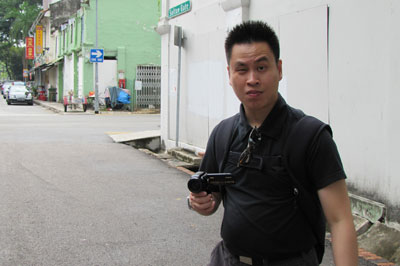
 Kevin strikes a pose near Sultan Gate
Tags: edutorium, Kevin, Lim, social, web Posted in
Friends, Learning, Singapore, Teaching, Technology |
2 Comments »

Winter approaching…
May 9th, 2009
Winter approaches. It is an incredible Autumn morning here on the Illawarra coast. See the little photo below.
Digital storytelling has crossed my mind of late. Recently conducted a workshop on the topic. It was most enjoyable. I had a creative and highly participative group of teachers and academic staff based in Singapore.
Digital storytelling is fine in itself. The term ‘digital’ does not rest well with myself. I tire of prefixing teaching and learning strategies with terms such as ‘digital’, ‘web 2.0′ and the like. At times I have no choice as such terms are required to market my workshops.
Storytelling is simply that. It is irrelevant which tool you apply to tell the story. Paper, paint, voice, keyboards. As long as the story is shared.
If the story can be shared via traditional approaches then why bother with ‘digital’ methods? The key to that question is to ensure that the digital strategy provides an avenue of expression and interaction not possible with the traditional approach. The technology has to make a difference.
Technology affords many possibilities in this regard. Where to begin?
Take good old Audacity, for example. You know, the free open source audio recording and editing software. A single storyteller can create a multitude of characters with some careful editing, selecting and filtering.
I would recommend storyboarding beforehand. Generate characters, a plot and the script, even just in general terms. Once the story is mapped out then the recording can begin.
Audacity allows multiple tracks to be recorded so a variety of characters can be recorded by an individual. Tracks can be named according to character and dialogue.
How to differentiate between the various characters if a single student has recorded the story? Select the track for a particular character and alter the pitch using the appropriate effects filter. Raise the pitch, lower the pitch. A single student can be a burly bouncer, an anxious astronaut, or a vexed vixen.
Plug in more than one student and you could have a virtulal panoply of characters.
You could even have an extraterrestrial in the mix. Record any dialogue. Filter the dialogue using ‘pitch’ and ‘backwards’. There you have it, one alien. Allow the remainder of the dialogue to generate an understanding of the conversation with the alien. Could be an exercise in itself: Codebreaking first contact with an alien species.
Audacity also allows for tracks to be easily shifted backwards and forwards in the timeline affording opportunities for flashbacks, stories to be told backwards, and the juxtaposition of contrasting dialogue.
You can also make use of both channels with some mixing. Play two pieces of dialogue simultaneously and simply ensure one is mixed to the left channel and the other to the right channel. A single student could generate an argument between two different characters.
The characters could come from different times, dimensions, places, planets, universes and states of being. Why interview a person when you could interview a ‘rock’, a ‘leaf’ or an ‘atom’? Give it a voice and let it explain the meaning of life. Personification is a great teaching and learning strategy when peppered with a little dose of Audacity.
Then there is the tool adored by many. Voicethread. It is a pity, dare I say it, that it is web based. Would love to see a software client for the tool that allowed offline storytelling creation that could then uploaded to the web.
Voicethread is nevertheless a useful tool. Take an old photograph. Upload it and invite others to recollect or tell their story. “I was there too…”
Upload a fake photograph to Voicethread courtesy of a little photoshopped magic. Invite analysis and feedback.
Invite your students to generate a storyboard. Paint the story, scan the artwork, upload to Voicethead and have others tell the story. More artwork, more ideas. A Voicethread soap, saga or serial.
Need to go. Lunch and an impending flat battery. More later.

Sent via iPhone through a Posterous wormhole to alternative universes in Twitter, Facebook and the Watershed.
Posted via email from Watershed Lite
Tags: personification, storytelling Posted in
Learning, Mobile, Teaching |
1 Comment »

Exploring sources in history via digital storytelling 2
April 4th, 2009
Earlier today I posted about a project designed to encourage students to gain an understanding of how sources in history can be utilised to build an argument or an account relating to an event, personality or period in history.
Back in 1996, together with artist Nathan Simpson, I created a fictitious landscape back that is bleak and empty of human life. The object for the students was to gather a variety of clues and piece together what has happened. I have reworked a few more images from the project and smaller copies of the same are displayed below together with those also posted earlier.
How would you use these images? A wiki? A blog? A dedicated web site? Allow the students to take the images and rework them and add additional clues?
The completed project will include additional images that depict the embedded clues in an enlarged format.
Simply based on the images shown below what do you think befell the denizens of this landscape?

Opening scene

Closer view of the town

Exterior view of house

Interior view of house

Exterior view of library

Interior view of library

Exterior view of metro rail station

Interior view of metro rail station

Exterior view of research laboratory

Interior view of research laboratory
Tags: digital, Nathan, Simpson, storytelling Posted in
History, Learning, Teaching, Technology |
No Comments »

Exploring sources in history via digital storytelling
April 4th, 2009

Opening scene to “Hunger City” [1996][Large][Original]
Back in 1996 I created a HyperCard stack titled “Hunger City”. It was inpired by two factors. The first was David Bowie’s introductory sequence to the album Diamond Dogs, entitled Future Legend. The second factor was to create a tool that would allow students to explore a range of different types of evidence and then draw their own conclusion. This is a skill required of students in the study of history. They examine the various historical sources, look for accuracy, bias and the like and compose their views regarding the event, personality or subject matter. Science fiction crept into the story for this project as well.

I enlisted the assistance of a former student for this project, Nathan Simpson. I taught Nathan Introductory French language when he was in Year Eight back in 1987. Later I managed the school rock band, The Evicted, in which Nathan was the bass player. Nathan is an excellent artist and over the years we have collaborated on a number of projects. Nathan is an accomplished artist and worthy of your exploration. I shall be MC at his wedding later in the year.
I took Nathan’s original black and white sketches, that were created using pencil, ink, charcoal and toothpaste and reworked them using Photoshop.
Nathan created the original artwork for this HyperCard stack. We sat down together and I shared my storyboard ideas with Nathan. The vision was for a bleak city of the future without human survivors. I am resurrecting the artwork for an online version of the activity. I am reworking the graphics and updating the embedded evidence.

Key navigational elements in “Hunger City” [1996][Large]
When students explored the HyperCard stack they were able to collect “clues” and make notes. The desolate city that was the underlying metaphor for the ’story’ featured four areas that were enriched with clues: House, Library, Metro station and a Research Lab. The objective for the students was to determine what had happened to “Hunger City” and report back. I am updating this process with current tools in mind.
So, using the evidence presented in just the two scenes above what do you think happened to the denizens of “Hunger City”? There are many more scenes in the pipeline.
I am thinking of renaming “Hunger City”. What would you name this place? Mortopolis? The Place of the Dead? The Bleak?I would be happy to read your ideas.
Tags: City, digital, Hunger, Nathan, Simpson, storytelling Posted in
History, Learning, Teaching, Technology |
1 Comment »

Stephen Downes at UOW
April 3rd, 2009
I had the good fortune to attend a presentation given by Stephen Downes today at the University of Wollongong courtesy of the Faculty of Education. I once worked within the faculty as a member of the Interactive Multimedia Learning Laboratory a decade back. Much has changed within the faculty since those heady days. I digress. I live just a couple of kilometres away from the university by car.
It was good to bump into Ian Olney of the UOW as well as Gary Molloy from St Joseph’s at Hunters Hill and also Sui Fui John Mak of the Sydney Institute of TAFE. Gary and I later had a chat about activities at our respective schools. I also had the chance to catch up with Garry Hoban and meet Nicola Johnson, both of the Faculty of Education at the UOW. Nicola has blogged about the event as well.

Stephen with myself, Gary Molloy and Sui Fui John Mak

Garry Hoban, Stephen and Nicola Johnson
The title of Stephen’s presentation was Connectivist Learning and the Personal Learning Environment. As the abstract for the presentation set out Stephen spoke of the strategies that educators could employ to design learning for online delivery.
Stephen outlined the strategies employed by himself and George Siemens employed to conduct their Connectivism and Connective Knowledge course during the final quarter of last year. It was an interesting talk. Stephen’s presentation was personable, relaxed and enjoyable. Components of his presentation can be found within the body of these two recent presentations:
The Connectivism and Connective Knowledge Course
Connectivism: A Theory of Personal Learning
Stephen pointed out that the course attracted 2200 participants. He illustrated that the connectivist aspect of the process better suited courses with large enrollments as opposed to those with enrolments with, say, 30 students. It occurred to me that perhaps multiple tertiary institutions could deploy an approach to impart generic introductory course subjects. Faculty often teach those subjects when they have drawn the short straw. Staff could focus on the more topic specific subjects once freed up from the mass delivery of course opening materials. Just an idea.
The key ideas and approaches can be garnered from Stephen’s presentations. An approach in which the connections between participants within an open environment facilitate learning and not a simple shoveling of data across a student cohort.
A number managed to share a quick cuppa and a bite to eat with Stephen following the presentation. A good afternoon was had by all.
Tags: connectivism, Downes, Stephen Posted in
Learning, Teaching, Technology, Web 2.0 |
7 Comments »

Getting started with Web 2.0 presentation
March 26th, 2009
Tomorrow I am giving a presentation as part of the Thinking Globally, Delivering Locally VC Seminars being jointly conducted by the Macquarie ICT Innovations Centre at Macquarie University and the New South Wales Department of Education and Training.
As they point out on their web site the Macquarie ICT Innovations Centre is hosting the seminars to provide regional and isolated schools with access to innovative technologies. I received an invitation from Anne-Maree Moore, Project Manager Collaborative Technologies at the centre to participate in the Thinking Globally seminars.
The focus of my presentation is Getting Started with Web 2.0 Technologies. During the course of the presentation regarding classroom implementation of Web 2.0 technologies I plan to emphasise three points.
1. Choose an aspect of the curriculum with which you hold a passion.
2. Choose an online tool with which you feel comfortable or ‘clicks’ for you.
3. Steer a simple, straightforward path at the outset.
As well, timing is also important… For example I find term III is favourable moment when the pressure is off somewhat. No final exams and no reports to write. [Actually these ideas apply to any technology based curriculum integration, not just Web 2.0 technologies. Some of my ideas are available in this document containing notes, ideas and some brainstorms.]
Why do I give this advice? By following these simple rules of thumb a teacher new to technology will be able to ease themselves into the process gently. Being familiar with the curriculum component enables the teacher to focus on the implementation and the technology. Selecting a technology that they are comfortable with serves to ease the burden with the actual implementation. A simple beginning provides a a practical and commonsensical framework for the implementation to be effected.
I base this on experience, pure and simple. It may not have been Web 2.0 but back in 1992-1993 the tool that clicked for me was Apple’s HyperCard. I was given a quick demo of HyperCard by Dr John Hedberg, during a promotional presentation for a new course being offered by the University of Wollongong. John was teaching at the Faculty of Education at the university and he was a member of the famous Interactive Multimedia Learning Laboratory, now EmLab. John is now Professor and Head of the School of Education at Macquarie University.
John’s demo of HyperCard in addition to the other components of the presentation convinced me to enrol in the Graduate Certificate of History Education at the UOW. In addition to the pedagogical components the course included a technology subject that introduced the students to multimedia programming and educational technologies. It was brilliant. It changed my life.
I chose an area of the curriculum that held my passion. The Pacific War. In particular the unit on Australian prisoners of war. My late father, Francis Xavier Larkin Snr, had been a guest of the Imperial Japanese Army (IJA) across various parts of Asia from January 1942 through to August 1945. My father had shared with me his letters, photographs, relics, maps and other documents from that period. This was an area that fascinated me, personally and professionally. I created a curriculum matrix at the time.
I scanned the documents using an Apple Scanner, a Mac Classic and a HyperCard stack that acted as the interface. I created a HyperCard stack that incorporated the documents and my father’s recollections that I had recorded on to cassette tape and then later digitised on the Mac. I bought a Mac LCIII.

Main menu of the Prisoner of War HyperCard stack.

Entry point for Photographs 1940 to 1942.

Photograph of my father taken in 1944 by the IJA. Clicking on the play button allowed the listener to hear my father’s thoughts regarding the photograph.
HyperCard was an excellent tool. It introduced programming to the masses. Once I had figured out the navigation and the ’stack map’ developing the stack, card by card, was straightforward. It was an enjoyable process and provided myself with a real sense of achievement. When it was completed I placed it on a server at school with the help of two colleagues, Ken Orrock and David Emery.
My Year Nine students could access it to complete a number of activities. They were amused by the fact that they were attending History lessons in the computer laboratory. During subsequent years I wore a second hat at school and taught students how to create HyperCard stacks as part of their Design and Technology course. I made other stacks on Kite Flying, the Iceman and a simple game about the end of the world called Hunger City. That stack taught students about the importance of collecting appropriate evidence when creating a historical argument.
I actually racked my brain repeatedly for a topic that I could use as the foundation for my first HyperCard stack. Various topics crossed my mind. One evening when I was going through my father’s relics it dawned on me. My father’s wartime experiences were the perfect topic. I had an interest in the topic and by scanning the letters, relics and photographs and by creating the stack I was able to share the relics with the students without fear that the original relics would be lost or damaged. The students could access the materials on the server via the stack. It was a great solution. I have since created a web site that feature my father’s relics.
So, my journey into educational technology began with a topic for which I had a passion, a piece of technology that clicked and a reasonably straightforward beginning. It was a good experience. I enjoyed it. The students enjoyed it. It reinvigorated my passion for education. I had reached a point in my career where I was basically teaching within a reasonably secure comfort zone. That HyperCard stack took me outside my comfort zone and set me on a journey that continues to this day.
Well, time has passed and not long back I wished to set up some blogs for my middle secondary History students. What steps did I take?
First of all I did some investigation. I began with a simple Teacher~Class blog in which problems and questions were posed by myself and the students responded via comments. I utilised Blogger as the tool. I would utilise eduBlogs now.
Actually, thinking back I had a blog of my own for a while before creating a teacher-class blog. By working with my own blog I gradually understood how they worked. I gained an understanding of the positive characteristics of the blog and also the pitfalls.
Then, how about blogs for each student? This was a significant task. I considered some of the educational blogging services but discovered, for example, that once I had exceeded 50 student blogs, that fees kicked in for the school. In other cases there was a lack of control. How could one set up multiple student blogs? Well this is how I did it. This time.
I wanted my middle secondary students to compose online diaries as if they were living through the Great Depression and/or the Second World War. I explored some blogging possibilities and I went with Blogger. I set up the Blogger accounts for each student. That took up some time. I created a simple initial welcome post in each blog.
I created a sample blog that illustrated the sort of product that I would like to see the students begin with as they started blogging. I was then hoping that they would become more creative as they proceeded with the blog. The next day in class I asked the students to list their student email accounts in turn in a spreadsheet. I showed them the sample blog and how they would need to post a blog entry. I invited each student to pick a template for their blog as well. I invited each student to be an author of their blog. I would be the administrator.
The following day I had booked the students (two separate classes) into two separate computer labs at school to begin blogging. There were some technical problems but all of that was sorted and a subsequent visit was more fruitful. The holidays then intervened. I was away as well and now that the fourth term has commenced I shall encourage the students to start blogging again. I have a role to play there.
I am notified of each blog post via a RSS newsreader. Comments will come to me via email for vetting. Just for now I just wish to see the students enjoying the process of creatively writing via a different medium. They understand why I have set up these safeguards. The students began their blogging with mixed results and about a dozen have really sunk their teeth into the project. many of the students have only made one post. Squeezing this project within the normal programming of the subject is challenging but I am getting there, gradually. I have added some screen shots below.


From a historical perspective it is interesting as the blog entries are sprinkled with dating errors, anachronisms and other anomalies. They provide a source of fruitful analysis when the students share their blogs in class.
For tomorrow’s presentation I shall point the participants to the following resources…
Web 2.0 links and resources: Here you will find online guides and resources for applications and tools as diverse as Twitter, Second Life, Wikis and more. There are links to classroom blogs, wikis, Second Life sites, teacher blogs and a variety of advice from educators near and far. I have just updated the list with additional Nings and Twitter resources.
How to guides. This page is chock-a-block full of pdf guides to blogs, wikis, Twitter, RSS feeds, Posterous and much more. Feel free to download and use these guides. Worpdress has just been updated so that guide is a little out of date. I have also added these resources to my home page.
Blogrolls. These are some of the blogs that I read some of the time, not all of the time. This needs updating. Need to import my latest OPML file into Google Reader.
I have also uploaded four rough edits of an interview recorded by Nanyang Technological University. Four questions were answered.
Click on each question to view the relevant video. You will need to ensure you have Quicktime installed.
What is Web 2.0?
How can teachers and students exploit Web 2.0 technologies for teaching and learning?
How can teachers benefit from web 2.0 technologies?
How can students benefit from web 2.0 technologies?
A number of useful tools:
Wordpress blog: hosted by Wordpress | hosted by yourself
Flickr
Creative Commons
Compfight
Posterous
Twitter
Remember, before embarking on a dedicated implementation of technology as part of your curriculum consider your existing workload and the demands that are made upon your time on a daily basis. Some time is required to make changes to your programming and the strategies that you employ in your teaching. Allowing for this time should not be a burden.
Choose a part of the curriculum which holds a particular interest for you. Select a technology that clicks for you. Do not re-invent the wheel. If other colleagues or teachers elsewhere have also established similar implementations within the curriculum then drop them a line and seek their advice or assistance. Perhaps you could collaborate. Take small steps, one after the other. A simple, straightforward path. Nothing too extravagant or burdensome.
And something I have neglected… tap into the skills of your students. Allow the students to assist as appropriate. Empower the students.
The journey should be pleasant. An opportunity or professional growth. An opportunity to stretch. An opportunity to be observed in a different light by your peers and your students.
What steps have you taken in the past? What steps will you take in the future? Please share them below if you wish by adding a comment.
[This post was created via an amalgamation of earlier posts, the inclusion of new material and republished for the benefit of participants in tomorrow's presentation.]
Tags: curriculum, integration, presentation Posted in
History, Learning, Teaching, Technology, Web 2.0 |
1 Comment »

Is the net a vehicle for learning or unlearning?
March 19th, 2009
Scott McLeod posted an item regarding Trent Batson’s refutation of Nicholas Carr’s position that Google is making us stupid. Scott quotes Trent Batson’s views and sought those of his readers. Well, I posted a comment and went to bat with my own perecptions. I repeat them below.
Many, including myself, are not ‘reading on the web’. They may spend only minutes or even less on a site. That is not reading. At least not in the way that I perceive reading. It is skimming.
Certainly there are individuals that are seriously and critically reading the publications of others on the net and responding in kind via other publications, commenting and sharing. That is enlightening and adding to the sum of human knowledge and experience. No argument with that. That is intelligent behaviour. Yet the percentage of web users actually doing that is minimal.
I feel that the vast majority of web users are skimmers. Catching bits here and there. Regurgitating existing bits of content.
Most of what happens on that net is not gregarious. Sure, social networking, blogging, twitter et al facilitates contact, primarily virtual in nature. These contacts are augmented with real human contact from time to time. That is gregarious. Face to face. The virtual stuff is not gregarious. That is wishful thinking.
I cannot help but feel that much of the ‘networking’ that happens via tools such as MySpace and Facebook is an extension of individualism. Not an individualism that expresses creativity but an individualism that is wired to benefit the self as opposed to the community ~ that real community that exists outside their front door, down the street, in the village and in the town. That community is suffering neglect.
Trent Batson writes that, “The web is helping us to reclaim our human legacy of learning”. Is the net making for a betterment of humanity? What are we learning? We are certainly more connected globally. Yet local connections seem to be diminishing. Individuals, particularly youth, are devoting more of their leisure time to pursuits indoors. The exploration of the big wide world that exists down the lane from their home, across the field, down by the creek or even in their own backyard seems to be rapidly becoming a thing of the past.
Humanity is unlearning. We are learning how to survive as disconnected individuals in urban boxes. We are unlearning how to be human, real, speaking, listening, coughing, farting, together, exploring, climbing, walking, tripping, falling, hurting and so on.
Humans may have more access to knowledge but that does not necessarily make us a smarter. Access to knowledge does not equate with intelligence. Knowledge itself does not equate to intelligence. It is what you do with that knowledge that makes one intelligent and considering the state of humanity ecologically and economically at the moment it seems to me that all that knowledge is not being put to intelligent use at the moment.
Only the few are discovering new ways to learn via Google and the Web. The vast majority are unwittingly acquiring new ways to unlearn. Wired for immediate gratification.
Conclusion: Education needs to step in and redress this situation.
Tags: intelligence, knowledge Posted in
Learning, Life, Technology |
No Comments »

If homework is work when do I get paid?
March 2nd, 2009
This evening my wife was sharing some anecdotes regarding some of her young students of Manadarin. She tutors these students after school and during the weekend. The students are very bright. Anyway, one of her students has a saying, probably garnered from a t-shirt, that goes something like this, “If homework is work when do I get paid?”
I was quite amused by this and then later thought, “Why not?” ~ Why not give all students a scholarship to attend school? All students. Surely if governments around the world can summon up trillions of dollars to bail out badly managed banks surely they could allow all students to receive a scholarship to attend school?
What are the implications of that? Obligations, responsibilities, contracts, disbursement, etc. Thinking out aloud.
Tags: homework, paid, work Posted in
Learning, Life |
No Comments »

Grab that YouTube video via a single click
February 28th, 2009

Australian War Memorial YouTube Channel
I discovered that the Australian War Memorial has its own channel on YouTube the other day when doing some research on the Vietnam War for a series of lessons designed for my Year 10 class. I showed the students a variety of video clips focused upon the Vietnam War. The clips were authored by war enthusiasts, students, news media outlets and several by the Australian War Memorial. I asked the students to compare the clips in terms of credibility, bias, usefulness and accuracy. Honing their Internet research skills and capacity for critical thinking, methinks.
This week several colleagues dropped by my desk with questions about PowerPoint and embedding video. Each had a different problem. It is a little weird when staff possess identical laptops and operating systems yet PowerPoint and video behave differently. Well, not that weird really. Typical if anything. That is another story.
I wanted to find an easy way for my colleagues to download the high quality video from YouTube that they could insert into their PowerPoint presentations, etc. From time to time one hears of different methods to download YouTube videos. MacUsers may like to use Tooble. http://tooble.tv/
But then there is this nifty little button or “bookmarklet” that you can drag to your browser’s toolbar. It is located at this page on the GoogleSystem blog. This is “old news” but good news. Simply click and drag the rectangle that states “Get YouTube Video” to your browser’s toolbar and that’s it. Simple, elegant.

Get YouTube video bookmarklet in situ
Next time you visit YouTube and locate a video that meets your needs click on the “Get YouTube Video” bookmarklet on your browser’s toolbar. A download of the high quality version of the video will commence. The downloaded file will be in .mp4 format. The video will launch once the download had completed. You will need to rename that file. Each download has the same generic name which is “video.mp4″. The video will insert within a PowerPoint presentation.
Tags: critical, evaluate, thinking, video Posted in
History, Learning, Technology |
5 Comments »

Global v local, wired individualism v real communities
February 24th, 2009
Dean Groom has written a thoughtful post on infinite learning and the need for information literacy and schools that prepare students for the infinite world of information given the advent of the Internet. He writes of the Florida Virtual High School and its programme of personalised instruction. Dean mentions that perhaps a virtual HSC High School could be established here in New South Wales. Dean’s post prompted me to comment…
Dean, the Florida Virtual High School is an interesting concept. It has evolved from a distance education background and it certainly delivers a significant number of courses each year.
I cannot help but feel that “Personalised instruction” should be labelled “Tailored instruction”. Personalised instruction for me would be face to face tuition.
eLearning is an excellent vehicle for distributing knowledge and skills for those willing to learn. It allows opportunities for further education, particularly for those unable to travel or situated in remote areas. eLearning can also support existing face to face instruction.
A learning environment that is entirely online suits some, not all. Experience with eLearning programmes involving organisations such as the University of Wollongong, Nokia, Singapore Airlines, JPMorgan Bank and others illustrated for me the pros and cons of 100% online delivery of courses. I feel that face to face instruction is an important facet of the socialisation process of our youth. Schools provide opportunities to acquire skills in interacting and coping with your peers.
A virtual HSC High School that augments face to face instruction, supports students in remote areas and facilitates subjects with very low enrollments is a good idea yet I feel that students should still be engaged in a significant face to face component as well.
Infinite possibilities, true. Infinite learning? Infinite memory? Not so sure about that. I sometimes get the feeling that we are filling our lives with too much stuff. Endless streams consisting of immediate moments of gratification and tenuous connections. Too many choices in today’s world. information literacy should focus on instructing students how to filter out the unnecessary stuff and how to focus on media that can facilitate lifelong growth, community connections and local benefits.
Local is broken. It needs fixing. Global connections are fine yet let’s not lose sight of local, community, real neighbours. The infinite possibilities that are now available can be used to try and regenerate local connections and people stuff. Local is becoming the poor brother of global.
Wired individualism versus real communities.
Cheers, John.
Posted in
Learning, Life, Technology |
2 Comments »

Productive communities or wired individualism?
February 22nd, 2009
Chris Lehmann has composed a post in which he speaks of the need to be proactive as opposed to reactive in the lives of the young as they ‘navigate the world’. I responded to Chris’ post with the following comment and I thought why not reproduce my thoughts here…
Agreed, a proactive approach is required. Our students, the kids, require good exemplars and direction. They have taken to MySpace, Facebook, and other publishing platforms with a passion. Educators and responsible adults need to illustrate how these publishing tools and others such as blogs can be utilised to create communities that give to society, that are productive and helpful. Collaborative communities that benefit society and not wired individualism that seemingly takes from society.
Tags: collaboration, communities, direction Posted in
Learning, Life, Teaching, Technology |
No Comments »

A tweet from Pompeii 79AD
February 21st, 2009

Source: Historical Tweets
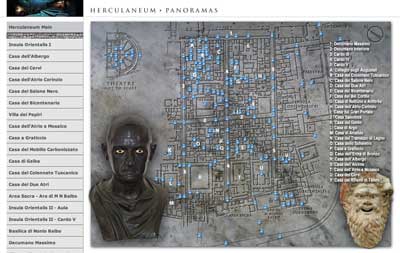
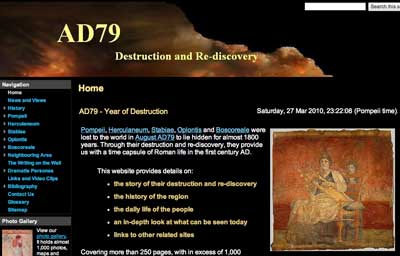
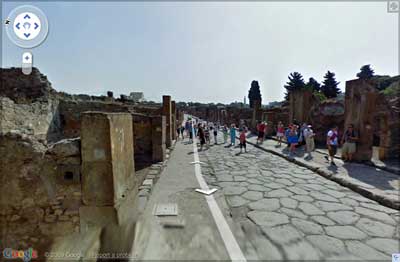
A post by Francesca Tonchin in Classical Archaeology News just alerted me to Historical Tweets. The specific tweet relates to the eruption of Mount Vesuvius in 79AD and the consequent disaster that befell Pompeii, Herculaneum and other regions of Campania. [This event and the societies of Pompeii and Herculaneum are a core unit of the Ancient History course in the New South Wales Higher School Certificate.]
The idea generated some thought and made me wonder about other possible applications such as “Famous Last Tweets”. Imagine asking students of literature, during a break or diversion in that programmed syllabus, to compose tweets that would have been written by writers such as Plato, Lawrence, Dickens, Twain, Pepys, Shakespeare, Orwell, Donne, and so on. I believe John Donne’s tweets could have been particularly telling…. “This bed has fleas…” or “Just picked up a nice compass“.
Care to suggest others?
Tags: authors, Donne, literature Posted in
History, Learning, Teaching, Web 2.0 |
5 Comments »

The bombing of Darwin 1942
February 19th, 2009
On the 19th February, 1942, the city of Darwin in Australia’s Northern Territory was bombed by Japanese military aircraft. Two bombing raids took place. It was just four days after the fall of Singapore. The bombing raids were led by the same commander that presided over the attack on Pearl Harbor on the 7th December, 1941.
At least 243 people were killed during the raids. The casualty list published in newspapers at the time was much lower so that the Australian public would not be alarmed and panic. This bombing raid was followed by countless more at various points across Australia’s northern coastline. Towns such as Exmouth, Broome and Townsville were bombed during this period.
There are some informative resources regarding these attacks that teachers and students would find useful. There is Australia Under Attack at the anzacday.org.au site. This section is a subset of the Battle for Australia component of the site. There are a number of photographs that educators and students can also freely use as long as they acknowledge the Australian War Memorial. One such image from the web site is displayed below.

AWM 026977 Damaged RAAF hangar. A Douglas dive bomber lies in ruins.
The Australian War Memorial also has a valuable suite of resources including the article, Australia bombed, strafed and shelled. It incorporates a map illustrating sites that were attacked around the Australian coastline. Of course you can always conduct a search for resources at the Australian War Memorial.
The National Archives of Australia have some great primary sources, including newspaper reports and various original documents of the event.
Additional resources and sites:
The Japanese bombing of Darwin and northern Australia
Photographs of the bombing of Darwin
Bombing of Darwin ~ Wikipedia
Please feel free to suggest more resources by posting a comment.
Posted in
History, Learning, Teaching |
1 Comment »

|

|
|
|