Thoughts on teaching, technology, learning and life in an era of change.

Archive for the ‘ Web 2.0 ’ Category

More techie tips for teachers
June 18th, 2008

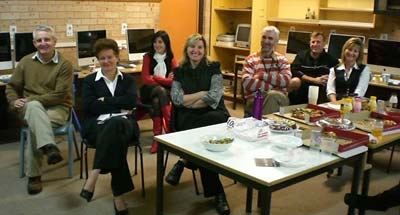
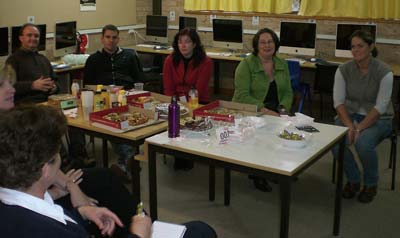
Had a great lunch today as once again staff gathered together to share their tips and tools. It has been a fortnight since our first get together. Today a variety of tools were shared… from SnapNDrag to Time Machine. From GarageBand to Wikis. There was a nice roll up of staff keen to check out new ideas. There was Lynda, Louise, David, Marion, Michelle, Clare, Steve, Peter, Wayne, Frank, Maria, Judy, Wayne and myself.
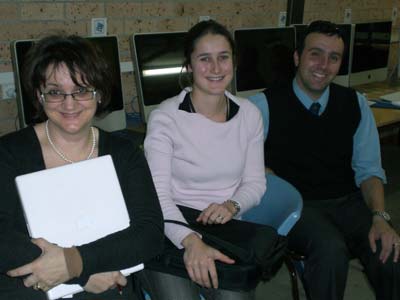
Today we were joined by Maria, Clare and Frank

David showed how incredible GarageBand can be for creating music tracks. Imports, edits and quick mixes were ably demonstrated by David. This worksheet for creating podcasts in Garageband will provide some good ideas regarding use of the tool. David pointed out how useful GarageBand was in the teaching of music and languages for example. Frank also indicated the value of GarageBand for recording and editing speeches given by students.
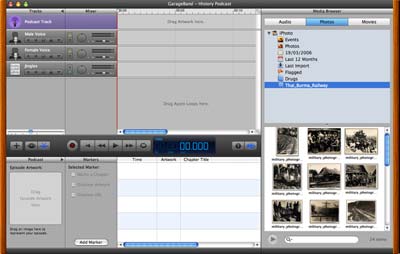
GarageBand

David also took the opportunity to show a tool that teachers would find useful if they ever need to de-stress a little. Goodness knows teachers need to chill out from time to time. Anyway, the site is Brain Train. There are a variety of activities that can give your brain a bit of a workout and take your mind of matters for a moment. Yes!

Brain Train

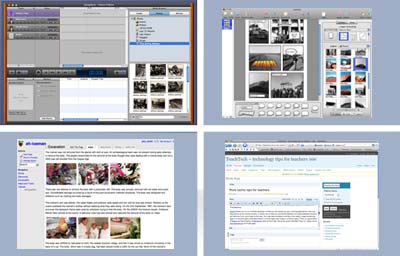
Lynda shared two of the most interesting features of the Mac OSX Leopard operating system… Spaces and Time Machine.

Spaces allows you to run multiple desktops so that you can spread out your running applications, files and documents across several screens. It allows you to have an uncluttered desktop. A simple keyboard shortcut will take you from one screen to the next. You may have a browser running in one space, image processing apps in a second space, word documents in a third space and iTunes in a fourth space. There is a good demo of Spaces by David Sparks of MacSparky fame on YouTube. David has quite a few Mac “How To” videos on his macsparydotcom YouTube page.
Spaces

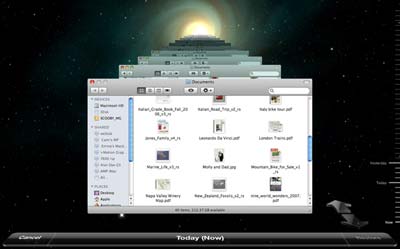
Time Machine is way overdue on the Mac. It is like Restore in the Windows environment. You can schedule backups of your data to an external hard drive. Time Machine has an excellent interface that allows you to track back in time to a particular back up date and restore your data as you wish.
Time Machine

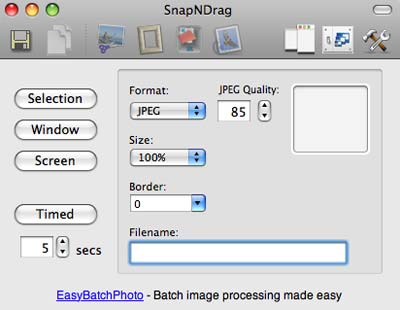
Louise shared SnapNDrag with the group. This is an excellent screen capture tool for the Mac that allows you to programme your screen grabs. You can name the cpatures on the fly, alter the file type output and retreive captures made earlier. Very versatile.
SnapNDrag

Coincidentally, another collague, Kevin, shared a nifty little screen grab tool called SharpShooter that allows you to name your screen grabs on the fly. I like it! Louise also mentioned an excellent screen capture tool from the wonderful team that created Comic Life. It is called Skitch! Check it out

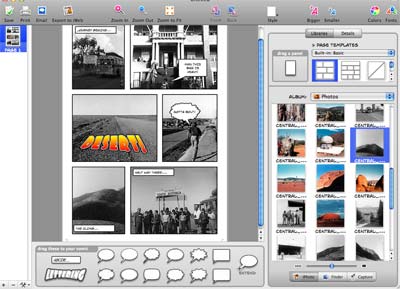
David raised a question about creating “How To” documents with labelled images that include arrows and the like. I mentioned how I like to use Comic Life to create How To documents like this one. Wayne added that he uses the clip art and symbols and in Microsoft office to create his documents. Lynda mentioned that she uses Keynote to create her how to documents. Interesting. That needs checking out.
Comic Life

I shared Wikispaces with the group and also shared some excellent wikis created by eduactors around the globe including:

Moving Forward
Mobile Technology In TAFE
Be an eduBlogger
Collaborative Learning
Mister Mak’s Learning Wiki
School 2.0
Web 2.0 Tutorial
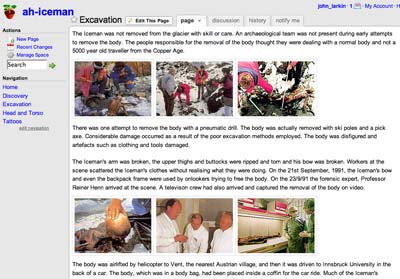
Wikispace Example

There was one interesting observation… as we connected our Mac laptops to the projector VGA cable we utilsed at least three different dongles depending on the model Mac that we used. Apple, please get your act together and design a standard fitting.

Once again, a great lunch was had by all. Stay tuned for our next gathering or simply subscribe to this blog via email or through an RSS feed.

How did I create this blog post? This blog post was created using WordPress. The web browser was Flock. The images were captured using SharpShooter and processed using Adobe Photoshop Elements. The images were uploaded to my web host, ICDSoft, using CyberDuck. The digital photographs were taken with a Casio EX-760 digital camera that resides in my pocket. The digital photographs were uploaded to my MacBook Pro using a MobileGear USB 2.0 card reader.
Teachers and technology team up at school
June 15th, 2008

Recently a group of teachers at school met together during lunch to exchange technology tips and tools. The meet-up had its genesis couple of weeks back with a thought that I felt it would be good to team up with like-minded and positive thinking individuals and share ideas.

To be honest I have not been firing on all six cylinders in a spiritual sense of late and I needed perking up so instead of sitting there in the mud I felt why not create an opportunity for a group of positive and forward thinking individuals to get together and share ideas. That is certainly the best cure for the blues I know. Surround oneself with happy people. Fair enough?

I mentioned this idea after school one day to our Learning Technology Coordinator, Lynda, and an email went out to the staff inviting interested parties to attend our first lunchtime meeting. It happened just over a week ago. I have been buried in marking since then and this is the first chance I have had to sit down and clearly document that first get together

We met in Room 27, a Macintosh Computer Lab that is affectionately known as the “Cage”. In addition to myself there were 11 other staff members present: Lynda, Louise, Peter, Judy, Marion, Melanie, Michelle, Chris, Sandra, David and Steve. Teachers, librarians, support staff and administrators.

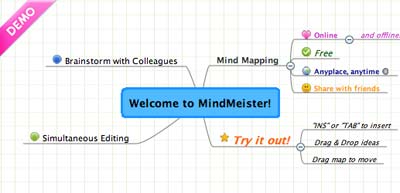
It is an informal group and the idea is simply to demonstrate tips and tools and to exchange notes. The emphasis is on sharing. At our first meeting Lynda got the ball rolling by sharing Mindmeister with the group.

Mindmeister logo

Lynda demonstrated how this online mind mapping tool could allow students and teachers to collaborate on mindmaps. As its own blurb points out, “users can create, manage and share mind maps online and access them anytime, from anywhere. In brainstorming mode, fellow MindMeisters from around the world (or just in different rooms) can simultaneously work on the same mind map – and see each other’s changes as they happen. Using integrated Skype calls, they can throw around new ideas and put them down on ‘paper’ at the same time.” It looks quite neat. Need to investigate that Skype interaction.

Mindmeister demo screen

Lynda followed this with a quick demo of Vixy.net. This service allows you to download YouTube videos reasonably easily. As the home page states, “it converts FLV to MPEG4 faster and less lossy than a typical transcoder“. David asked a question about conversion formats and we shared ideas regarding mp4, move and other video formats.

Vixynet logo

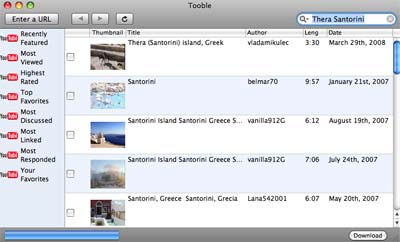
I mentioned Tooble with the team as well. It is a neat client side software tool that allows you to search YouTube and perform multiple downloads of selected YouTube videos. Mac or Windows.

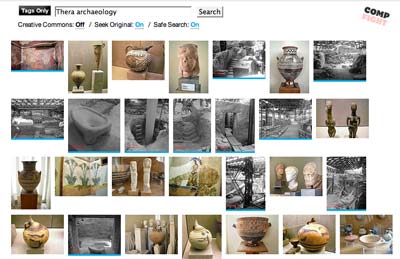
Following Lynda I gave a demo of CompFight, an unusually named online tool that allows you to search the Flickr image database rather easily.

I entered the terms Thera and archaeology into the search field and eighty nine excellent thumbnail images appeared. All were relevant to the current topic that I am teaching to Year Eleven Ancient History. The tool has a safe search mode.

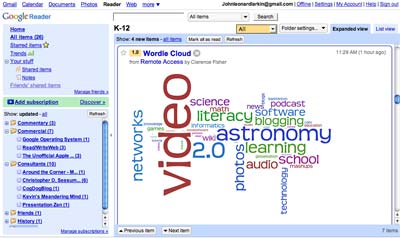
After that I demonstrated Google Reader and indicated how it allows the web to come to me rather than I reaching out to the web for news, ideas and tools. I illustrated some of the advantages of subscribing to blogs, del.icio.us links, flickr feeds, news media feeds and other sources.

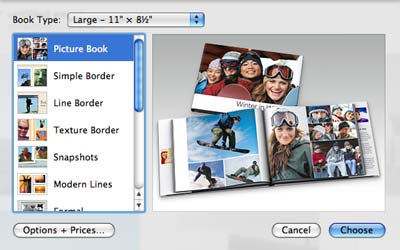
Then, Peter took the stage and gave an inspiring demonstration of the Photo Book feature within the Apple Mac app, iPhoto.

Peter has created some excellent ‘coffee table’ books illustrating the travels of his family and important events in the lives of his children. It is an excellent facility. Peter showed how one can employ the Autoflow setting to create the book, utilise templates and add text.

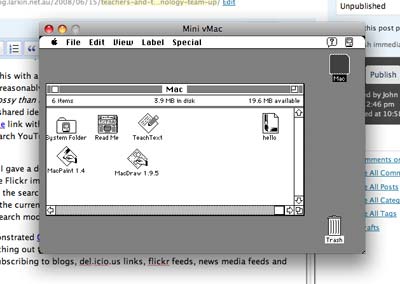
There was some spare time and I showed the group how I had set up a Mac 7.0.1 emulator on my MacBook Pro currently running Mac OS 10.5.2. Running the emulator is like stepping back in time 18 years. The software used is Mini vMac. It runs off a thumb drive.

We all enjoyed a nice meal of pizza, drinks and even a caramel mud cake. Lynda organised the food and drinks. Legendary Lynda! It was an excellent way to spend lunch. It may have been a cold and gloomy wintry day outside but within that room there was considerable collegial warmth and we all had a thoroughly good time. As I took a few photographs, with Peter’s help, I remarked on how excellent I felt the get together had been. We all had a great time.

Lynda wants to call us the Geek Group. I would like to call it, with a wry smile on my face, the Advanced Technology Group. Any suggestions?

Stay tuned for updates on following get-togethers.

How did I create this blog post? This blog post was created using WordPress. The web browser was Flock. The images were processed using Adobe Photoshop Elements. The images were uploaded to my web host, ICDSoft, using CyberDuck. The digital photographs were taken with a Casio EX-760 digital camera that resides in my pocket. The digital images were uploaded to my MacBook Pro using a MobileGear USB 2.0 card reader.

Poor old Twitter
June 1st, 2008

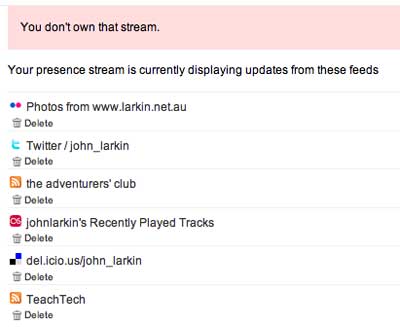
Attempted to remove my Twitter feed from my Jaiku feed. Felt that the Jaiku feeds should be a consistently concrete. Sometimes my tweets are a little flippant. Anyway, upon making the attempt to remove the Twitter feed within the Jaiku settings panel I received the two messages below. Makes me smile.

Jaiku screen shot showing Twitter server down

Who turned up the heat? Not me! Then this…

Jaiku screen shot showing that I do not own my Twitter feed

If I do not own the stream, then who does?

One other thing, Twitter… Please do something about the spammers with a built in ‘Report Spam’ link or a more effective blocking and/or filtering mechanism built into the settings.

Seesmic creates waves ~ will you take the plunge?
May 19th, 2008

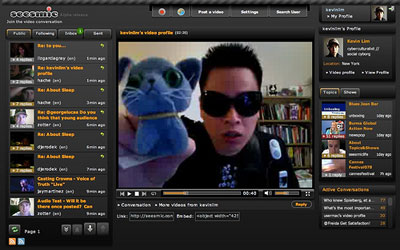
Well, Kevin Lim certainly created waves after he dropped this pebble in the pond yesterday. Myself and others picked up Seesmic following Kevin’s dramatic post and the initial conversation generated 40 plus replies. Kevin has subsequently blogged about the implications of the tool and that Seesmic event here.

Social cyborg and multimediamuse, Kevin Lim, goes Seesmic

Kevin writes about the initial reluctance of some users to adopt the tool, including himself. He goes on to write that, “Haven’t we said the same thing before we took to blogging or even twitter?” He reviews the use of the tool under the following headings.

  • New medium, New resistance
  • It’s full-on transparency…
  • It’s about performancing…
  • It’s meme formation at lightspeed…
  • It’s a new aesthetic; a brash context…

Kevin also provides a set of links to some of the more interesting characters that appeared in the initial Seesmic thread yesterday. Well worth a look. The excerpts provide an insight into the immediacy, openness and fun of the tool.

I felt a little reluctant blogging about Kevin’s latest post because he blogs on about my Seesmic observations but he provides additional and valuable insights that are well worth your consideration.

I also received an informative comment from Dr Javed Alem where he pointed to a set of Seesmic threads where students recently provided course reflections via Seesmic. Javed writes that he was “…teaching a course titled “infotechtools for engineers” and I tried using different media. Student liked the video medium once they get a hang of it. It is more engaging and more natural when it comes to informal or semi informal conversations.” Javed has provided links to the threads as well as a Voicethread commentary…

http://seesmic.com/videos/XVKgMdijmq

and some student responses…

http://seesmic.com/v/jWStMJYGom

http://seesmic.com/videos/ffBo8Yz4j

http://voicethread.com/share/124542/

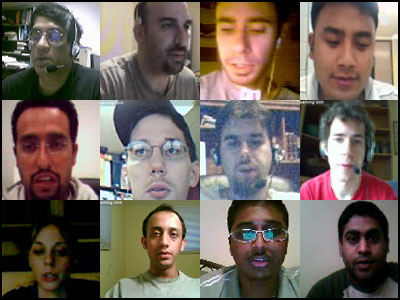
Dr Javed Alam, upper left, and a number of his students

It is interesting to see how the different students handled the use of Seesmic. In the main they seem quite confident and relaxed with an air of formality as well.

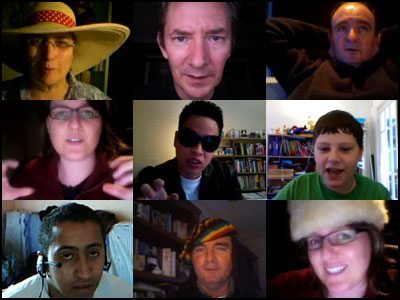
Their use of the tool in this context contrasts with the threads yesterday where a rather serious conversation on the teaching and learning applications of the tool was seamlessly blended with a parade of sunglasses, hats, wigs, soft-toys and puppets. What does that tell us?

Some of the respondents to Kevin’s Seesmic thread.
That’s me in the psychedelic wig.

I personally feel as though I have come out of the Twitter closet and gone Seesmic. How about you? Will you take the plunge also?

Addendum. Check out the Seesmic WordPress plug-in that facilitates video comments. You still need to enter your normal details, email address, etc in addition to the Seesmic log-in. You can see it in action on Kevin’s post where he is engaged in a conversation with Critter, a Seesmic developer.

Seesmic versus Twitter versus Blogging
May 18th, 2008

This afternoon I thumbed through the old feed reader and a post by Kevin Lim caught my eye. He was exhorting one and all to take up Seesmic. I had seen it raised in blog posts before yet put it on the digital backburner. Then, a few weeks ago, Sarah Teo of U21Global mentioned how they had been using Seesmic as part of the delivery process of their various online MBA programmes.

What is Seesmic? Well if Twitter married YouTube you will get Seesmic.

Well, Kevin’s post stirred me into action and I sought out the old email invitation, copied the key and signed up. I sought out Kevin’s Seesmic profile and responded. I made a lame first post and then another tongue in check post in response to Kevin. I thought on that and wondered how would my employer and students react. I immediately posted another video about public versus private identity. That garnered an immediate reply from Mark Taylor. I have embedded the thread here if you wish to view it. Basically, be professional and apply some commonsense.

The exchanges are quite exhilarating and, in my humble opinion, leave Twitter for dead. Perhaps I am a visual learner. I began a thread on Seesmic versus Twitter versus Blogging. Quite a few picked up on that, including Christy Dena, Dean Terry, Andrew Brackin, Kevin Lim, Freida Wolden and Kamel Daoudi. The demographics and the geographical location of the respondents was diverse. The respondents included a young student from England, researchers from the USA and a retiree. A number of the conversations can be viewed on this page.

The discussion covered such topics as mockumentaries, ARGs, Second Life, avatars, World of Warcraft, historical recreations and collaborations. Useful, very useful.

I was surprised when Andrew Brackin joined the conversation from England. He was incredibly articulate. He may be 12 or so. You can see him pictured above. I have no idea how old he was. I was actually quite reluctant to respond to his observations given the paranoia here regarding online safety and the like. Would appreciate any input on that thought. I wonder how the books on Andrew’s shelves compare with Kevin’s? Addendum: Andrew is in the process of setting up Kwiddo.com. This is Andrew’s blog.

The conversations obviously all exceeded 140 characters and the visual aspect is wonderful. I noticed that at one stage a number of participants were wearing sunglasses. I thought that was weird so I grabbed some wigs and some puppets and utilised those in the discussions. That caused others to wear hats. You can see some examples in the images above and below. It was a visual meme. Weird. Fun. Connectedness.

Well, what can I say? Give Seesmic a try. I feel it is quite useful. I found it quite liberating. Twitter feels like a closed shop. If you feel Twitter is not for you then give Seesmic a burl.

Postscript: Seesmic Wishlist

1. Could the Seesmic developers set up an education entry point for Seesmic so that some of the more controversial posts on the public timeline can be avoided?
2. Would love a tool that allows the downloading of a thread or selected posts in a thread as a combined single .flv, .mp4 or .m4v file.
3. A search engine for threads would be neat too…

Links:

Seesmic
Wikipedia: Seesmic
My Seesmic page

Seesmic ~ captured thread on public identity
Seesmic ~ thread of Seesmic versus Twitter versus Blogging