Thoughts on teaching, technology, learning and life in an era of change.

Archive for the ‘ Technology ’ Category

Video, image and podcasting solutions online
August 5th, 2008

Last Thursday myself and a few colleagues gathered together for a lunchtime sharing of techie tools and ideas. I was in and out of the meeting as I took some photographs of events around the school. This meeting was attended by Peter, Frank, Marion, Michelle, Steve and myself. We were also joined by our two guest teachers from Koshigaya Minami Senior High School in Japan ~ Mitsuyo and Tatsuo.

Mitsuyo and Tatsuo at Bulli Beach

I opened the proceedings with a demo of Posterous. I showed how it is capable of creating rich multimedia blog posts with elegant galleries, embedded video and podcasts ~ all via email.

Frank was impressed enough to publish his students’ Comic Life projects using Posterous. The students’ geography projects can be viewed here. As I have mentioned elsewhere this elegant publishing tool is improving by the day.

Frank shared KeepVid with the group. This site allows you to download streamed video clips from sites such as YouTube. You simply paste the web address or url of the clip in the url download field.

It searches available download links providing the user with links to flv or mp4 file downloads. Click on the download link to commence the operation. This is a useful site. Cross platform. I still prefer Tooble.

Peter shared an alternative to Apple with respect to publishing your photographs in a coffee table book. Viovio allows you to publish coffee table photo books by submitting a pdf file of the ‘book’ created in another tool such as iPhoto. It costs significantly lower than other providers of such services. Peter has just ordered a book. Stay posted for a review of the product when it arrives.

Interesting use of Posterous
August 4th, 2008

Last week I shared Posterous with some colleagues during a lunchtime Geek
meet. The image display component of Posterous impressed one colleague in
particular and he is now using Posterous to display his junior Geography
students’ Comic Life projects.

Each project was exported as image files. My colleague then posted each
project to Posterous as a separate email.

http://yr7geography2008.posterous.com/

Posted by email from Watershed (posterous)

Subscribed to posterous blogs using NetNewsWire
August 4th, 2008

Just added the 17 Posterous blogs that I have subscribed to using NetNewsWire. I find reading blog posts via NetNewsWire to be fast, easy and convenient.

Posted by email from Watershed (posterous)

Posterous is a brilliant blogging tool
July 29th, 2008

Posterous is a brilliant blogging tool. It is getting better each week. 

You post to your Posterous blog via email. That is possible with WordPress and Blogger, for example, yet Posterous make it so much easier. You simply send your email to post@posterous.com. There is no need for a complex email address. You can also post simultaneously or separately to your Twitter and Flickr account. You can post to all three at once via email.

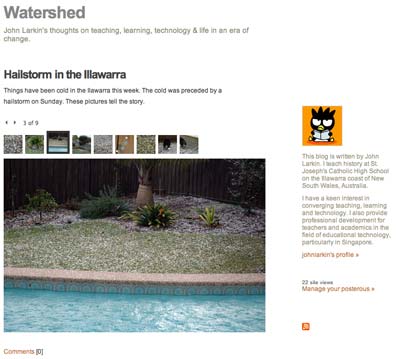
Yet, more significant than that is the fact Posterous will set up a nice interactive image gallery with your post if you add the images as attachments and email them along with your post. The image gallery is elegant. It is so easy! See the Posterous blog post example below or for real here.

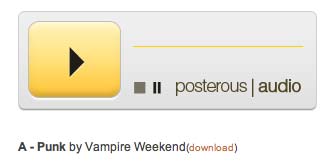
You can also send mp3 files as an attachment and it will set up a mp3 player, a link to the mp3 file. Podcasting made so easy! [Image below borrowed from Posterous faq page]

It will automatically convert urls included in the email as links. It will also automatically embed YouTube videos and similar services. All you need to do is include the relevant link in the email post to your blog. Other email attachments are added to blog posts as well with a  download link. Setting up an account is simple.

Then why am I not using it as yet? Well, I have no control over comments other than disallowing comments, allowing all comments or only allowing comments from registered Posterous users. I would love to be able to moderate comments. Other than that Posterous has a feature set I would love to see implemented in WordPress.

Multiplayer browser based Mandarin language game
July 28th, 2008

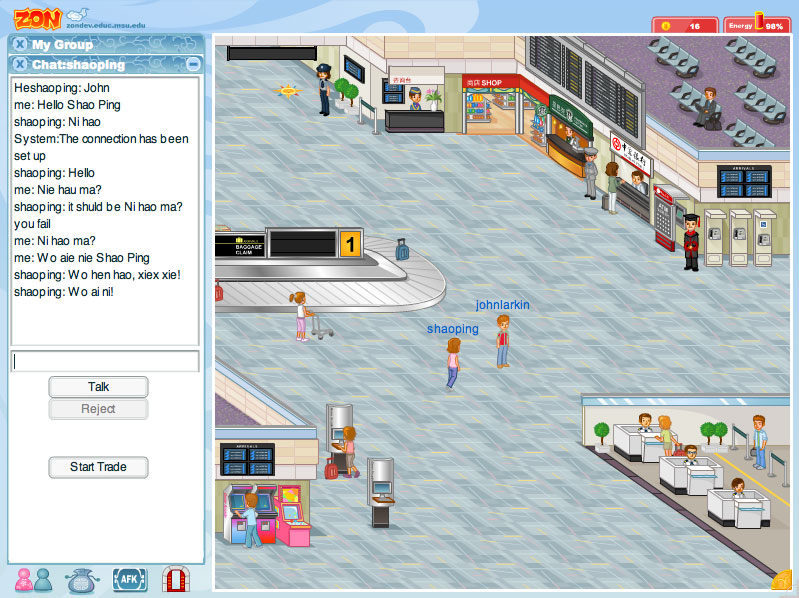
My wife Shao Ping is presently enrolled in a degree at the University of New England in NSW, Australia. She is studying Mandarin so that she can gain formal qualifications to teach the language. Shao Ping is a native speaker of Mandarin. Anyway, to day she shared this multiplayer game with me where one can practise the language. It is called Zon. I signed up a moment ago and we had a quick exchange. This was our first meeting in cyberspace. We shared a few laughs as we communicated online despite the fact we were sat next to each other, on the couch, with the cat, Sootie. My own mastery of Mandarin is not that strong.

As the welcome page for the tool indicates, “Zon is an unique interactive massively multiplayer online role playing game for learning Mandarin Chinese”. It is browser based and does not require the installation of any software. I would recommend the use of Firefox. You could probably achieve similar outcomes in Second Life but Zon is packed with numerous games and other activities that allow you to learn more about Chinese culture and the language.

The tool was developed by Dr. Yong Zhao, a Michigan State University Distinguished Professor. I am sure students of Mandarin around the world, both young and old will quite enjoy using this excellent language aid. There is a blog associated with the tool as well.