I wished to set up some blogs for my middle secondary History students. I did some investigation. I considered some of the educational blogging services but discovered, for example, that once I had exceeded 50 student blogs, that fees kicked in for the school. In other cases there was a lack of control. How could one set up about 60 student blogs? Well this is how I did it. This time. I will do it a little differently next time but this project has not yet completed.
I wished to assert a measure of control over what was published and how. Some readers may disagree with that. I am not referring to some form of political censorship. I have good reasons to justify the level of control I seek. Several years ago a case came to light in a nearby school in which students had utilised a blog to publish inappropriate images and comments. The term ‘blog’ became an unsavoury word in local education circles so I put the idea of establishing student blogs to one side and focused on projects using tools such as Photoshop, Comic Life and Audacity. As well, some students can simply not help themselves. They lack an understanding of the responsibilities involved with publishing. I needed to maintain close supervision over those students and their work.
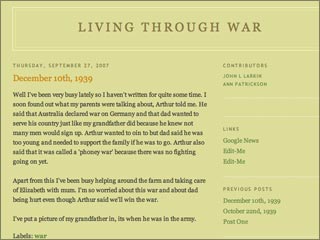
Well, a couple of years have passed and last term I felt that it was time to set up the blogging idea again. I wanted my middle secondary students to compose online diaries as if they were living through the Great Depression and/or the Second World War. I explored some blogging possibilities and I went with Blogger.
I set up the Blogger accounts for each student. There were 54 in all. That took two separate evenings. I created a simple initial welcome post in each blog. I created a sample blog that illustrated the sort of product that I would like to see the students begin with as they started blogging. I was then hoping that they would become more creative as they proceeded with the blog.
The next day in class I asked the students to list their student email accounts in turn in a spreadsheet. I showed them the sample blog and how they would need to post a blog entry. I invited each student to pick a template for their blog as well.
That night I invited each student to be an author of their blog. i would be the administrator. The following day I had booked the students (two separate classes) into two separate computer labs at school to begin blogging. There were some technical problems but all of that has since been sorted and a subsequent visit was more fruitful. The holidays then intervened. I was away as well and now that the fourth term has commenced I shall encourage the students to start blogging again. I have a role to play there.
As a measure of control each blog is published to my own server. I am notified of each blog post via a RSS newsreader. Comments will come to me via email for vetting. Finally, I eliminated that problematical menu bar and Next Blog button. The Next Blog button had the potential to browse to a distasteful blog. I use the following code just before the default code and after the name of the template creator to block the Blogger Navigation bar:
#navbar-iframe {
display: none !important;
}
The exact detail regarding how to achieve this is described at this web site.
I added an additional level of protection by publishing the blogs in a directory that cannot be accessed by googlebots and the like due to the inclusion of a ‘robots.txt’ file with the appropriate code. The blogs cannot be found in a search engine. When the project is over the blogs will be published. This sounds like a lot of control and overkill and probably is but the unfortunate episodes in the past in our district called for this degree of oversight. The blogs will eventually be published and the school community will get to see them. Just for now I just wish to see the students enjoying the process of creatively writing via a different medium. They understand why I have set up these safeguards.
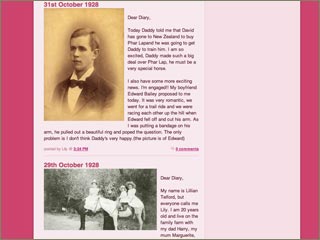
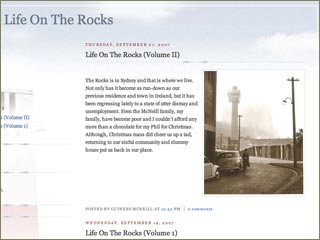
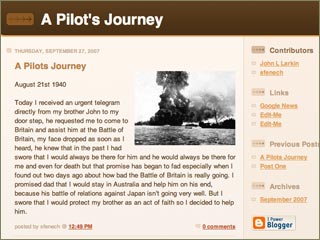
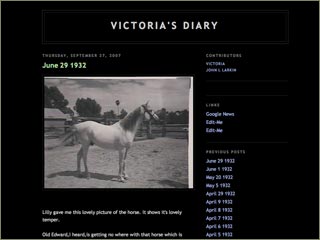
The students have started blogging and about a dozen have really sunk their teeth into the project. many of the students have only made one post. Others have not posted anything at all. I shall chase them up and seek out the reasons. That is my job. And an enjoyable job I might add. Squeezing this project within the normal programming of the subject is challenging but I am getting there, gradually. I have added some screen shots below.
From a historical perspective it is interesting as the blog entries are sprinkled with dating errors, anachronisms and other anomalies which will certainly provide a source of fruitful analysis when the students share their blogs in class. I hope that additional graphics and media such as audio and video are added to the blogs in future. I shall keep ypu posted on developments. I seek your comments on this process.