During the last couple of weeks my Year Eights have had the chance to pay a few visits to one of our school computer labs. We have four Macintosh labs and they are almost constantly booked out. That is a good sign actually.
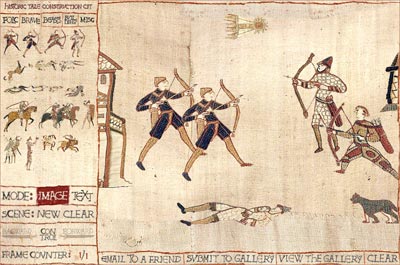
Anyway, I have been aching to share Historic Tale Construction Kit with my students and as our unit on the Middle Ages draws to a close I have booked them in to the labs and they have taken to the ‘kit’ rather enthusiastically.
I have created a couple of worksheets that the students can follow if they wish but, to be frank, one quick demo and a few hints is all they need. It is a little quirky at times. Sometimes a character element will freeze and cannot be deleted. There seems to be a limit to the number of elements one can include in a scene. These are very minor issues. It is quite a simple yet quite powerful little online programme. Links to the sheets below.
When they complete a scene I ask them to take a screen shot (as opposed to publishing it online), save the capture and then embed their collected scenes in Comic Life. [All you iPhone and iTouch fans might like to check out Comic Touch as well]
Of course, both Historic Tale Construction kit and Comic Life work just as well in a Windows environment.
At the end of the lesson I allow the class five minutes to play with PhotoBooth. I call it the PhotoBooth Moment. They enjoy it.
Links:
Historic Tale Construction Kit worksheet [doc]
Historic Tale Construction Kit tip sheet [pdf]
Comic Life worksheet [doc]
Comic Life worksheet [pdf]
Earlier blog post on HTCK #1
Earlier blog post on HTCK #2