Thoughts on teaching, technology, learning and life in an era of change.

Archive for the ‘ Technology ’ Category

Airfoil your streamed music
September 13th, 2008

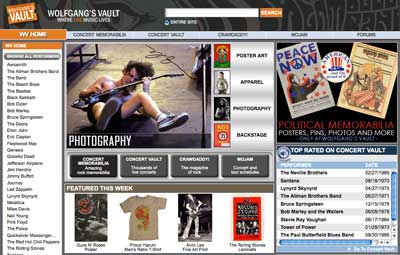
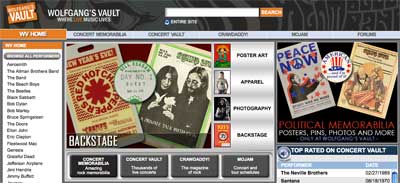
One of my favourite sites on the Internet is Wolfgang’s Vault. “What is that?” you ask? It is one of the most incredible music sites on the web. It streams live concert audio archives going back 40 or more years. There are concerts by David Bowie, Neil Young, Led Zeppelin, Blondie, Devo, Allman Brothers Band, Joe Cocker and on and on. There are over 1740 concerts. Check out this listing…
Many of these shows were broadcast live on American radio networks. Some of you may remember the King Biscuit Flower Hour or the Superstar Concert Series? Quite often these radio broadcasts were recorded by fans on to tape and then bootlegged. One of my favourite bootlegs was Resurrection on 84th Street which featured a live performance by David Bowie that was recorded at the Nassau Coliseum in Uniondale on the 23rd March, 1976. I bought my copy from Toad Hall’s Rare Records in Victoria via the post. The double album set cost me $11.00AUD.
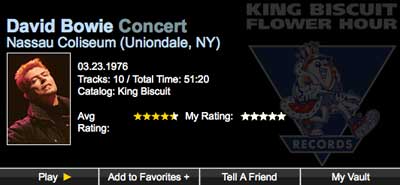
Anyway, portions of this show are now available at Wolfgang’s Vault. The band for the tour were tight. The shows were powerful. Bowie was really enjoying himself.
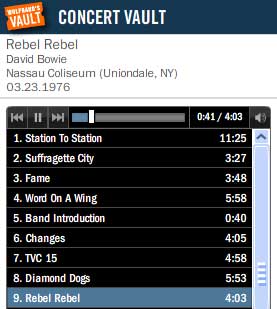
Every now and then I surf over to the vault and listen to a gig or two. It is incredible. The two Led Zeppelin shows from 1969 are brilliant.
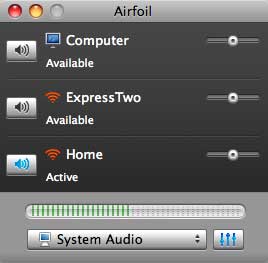
Tonight I thought I would set up Airfoil on the Mac and play the streamed audio through my stereo via the wireless network. I have been playing my iTunes playlists over the wireless network for a while now. I should have set up Airfoil to broadcast the other audio on my Mac as well a long time ago.
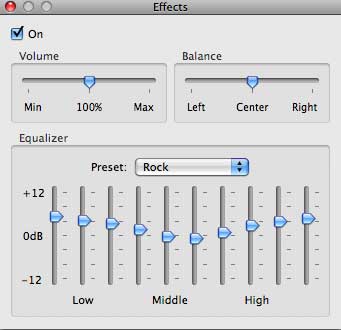
This software is neat. You can select the different nodes on your network and adjust the volume and equalisation of the audio. Works on Windows too.

Historic Tale Construction Kit Tip Sheets
September 13th, 2008

During the last couple of weeks my Year Eights have had the chance to pay a few visits to one of our school computer labs. We have four Macintosh labs and they are almost constantly booked out. That is a good sign actually.

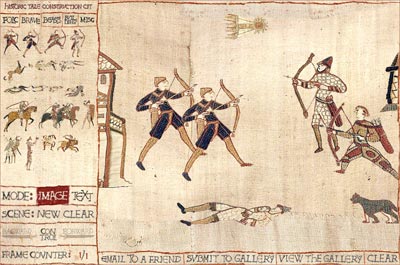
Anyway, I have been aching to share Historic Tale Construction Kit with my students and as our unit on the Middle Ages draws to a close I have booked them in to the labs and they have taken to the ‘kit’ rather enthusiastically.

I have created a couple of worksheets that the students can follow if they wish but, to be frank, one quick demo and a few hints is all they need. It is a little quirky at times. Sometimes a character element will freeze and cannot be deleted. There seems to be a limit to the number of elements one can include in a scene. These are very minor issues. It is quite a simple yet quite powerful little online programme. Links to the sheets below.

When they complete a scene I ask them to take a screen shot (as opposed to publishing it online), save the capture and then embed their collected scenes in Comic Life. [All you iPhone and iTouch fans might like to check out Comic Touch as well]

Of course, both Historic Tale Construction kit and Comic Life work just as well in a Windows environment.

At the end of the lesson I allow the class five minutes to play with PhotoBooth. I call it the PhotoBooth Moment. They enjoy it.

Links:

Historic Tale Construction Kit worksheet [doc]
Historic Tale Construction Kit tip sheet
[pdf]
Comic Life worksheet [doc]
Comic Life worksheet [pdf]
Earlier blog post on HTCK #1
Earlier blog post on HTCK #2

This photograph needs a new story
September 10th, 2008

I took this photograph in Boorowa in mid-western NSW, Australia. I was intrigued to see a sign pointing to Internet Access. I wondered how old it was.

Anyway, I think this photograph needs a new story. How would you use this photograph? It is yours to use. The high resolution original is here.

Is there an easier way to password reset 60 edublogs?
September 5th, 2008

This week I set up 60 Edublogs for my two of my three Year Nine History classes. They are about to begin their time diaries. The students will hop into their own imaginative tardis and export their minds back to Australia of the 1930s and 1940s. They will keep a diary of their experiences during those turbulent times in Australia’s history.

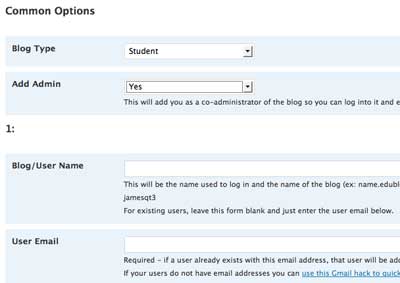
My main aim was to add the 60 students as authors to the class blog and the easiest way to do so was to simply use the multiple Blog and User Creator in eduBlogs. I created the 60 blogs, 15 at a time. I created 60 student ‘temporary’ gmail accounts using that neat little short cut that is described here. You know the one…

yourmailaddress+studentname_01@gmail.com

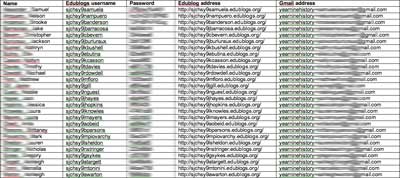
I kept the students’ names, gmail account address, edublog username, edublog address and edublog password in a word document. I also subscribed to the 60 blogs in a Google Reader account od I could easily monitor the student progress.

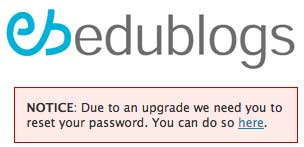
I set the permissions for each blog and also the permissions for each of the students in the class blog. As you can imagine I devoted some time to these activities. When I first logged into edublogs to begin this process I had to reset the password of the main class blog due to a software upgrade. That only took a moment.

This morning I began to share the new edublogs with the students and I set about to demonstrate a blog set up for a fictitious student, Fred Ziffel. Anyway, upon logging in that message regarding regarding the software upgrade and password reset appeared and I initially thought,”Well, that is not a problem. The students can reset the password when they log in to their new blogs.”

But, then it hit me! I had used a single gmail account to create the blogs! I was the only person with access to that gmail account. I would have to reset the passwords for all 60 blogs myself. These are the steps I will need to take.

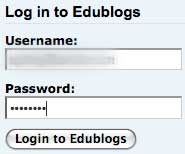
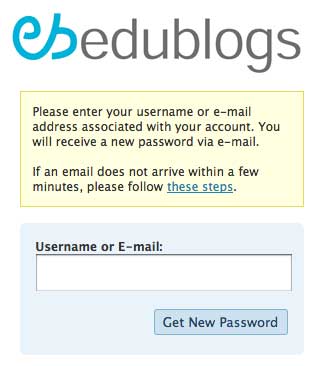
First of all I will need to log into the specific student account.

Then I will need to click on the link to reset the password.

Then I shall type in the student’s username.

Then I need to check the gmail account.

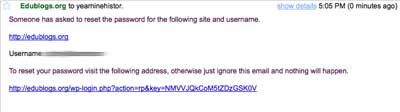
I will open the gmail account and read the message from edublogs.

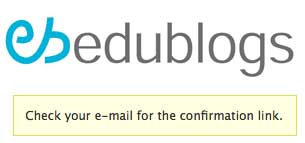
I will click on the confirmation link.

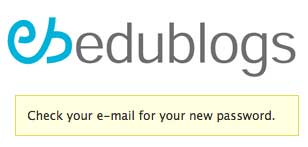
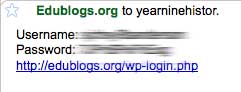
I will be taken to this page where I will be asked to recheck my email for the new password.

I will then go back to the email to retrieve the new password.

I will open the email to obtain the new password.

I will record the new password in the word document.

I will need to repeat these steps for each of the 60 student blogs. If you know an easier way please let me know. I guess the Edublogs Campus edition is the real solution.

The joys of instructional design
August 27th, 2008

Stephen Downes posted a note regarding this video via Karl Kapp. It brings back many memories for me.